
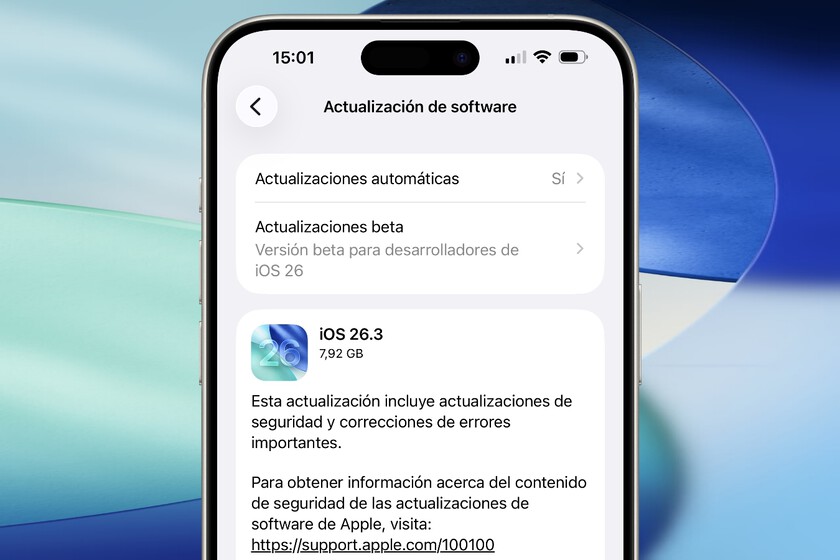
Apple has released iOS 26.3 for all iPhone models dating back to the iPhone 11, delivering a relatively modest update focused on interoperability and privacy enhancements. The release, which follows a two-month beta testing period, arrives as a precursor to the more substantial changes expected in iOS 26.4, including a redesigned Siri.
One of the most notable features in iOS 26.3 is a new tool designed to simplify the process of transferring data to Android devices. Initiated through Settings > General > Transfer or Reset iPhone, the feature allows iPhone users to scan a QR code displayed on their Android device to begin transferring photos, videos, notes, contacts, calendars, and other files. This change comes amid increasing pressure from European regulators to improve data portability between platforms.
The update also addresses interoperability with non-Apple devices, specifically regarding smartwatches. IOS 26.3 enables improved management of notifications on third-party smartwatches and fitness trackers through Settings > Notifications > Notification Forwarding. Users can now select a compatible device and choose which notifications to duplicate, offering greater control than previously available.
Further aligning with European regulatory demands, Apple has incorporated features previously exclusive to AirPods into other Bluetooth headphones. These include simplified pairing – achieved by simply bringing the headphone case near an iPhone – and automatic switching between Apple devices, such as seamlessly transitioning audio from an iPhone to a Mac.
Privacy controls have also been enhanced with the introduction of a new setting that limits the precision of location data shared with mobile carriers. This feature, currently available on the iPhone 16e, iPhone Air, and iPad Pro M5 Cellular models (equipped with the C1 or C1X modem), allows users to restrict location tracking to a general area rather than a precise point. Apple states this change will not impact emergency services or network coverage. Supported carriers currently include Telekom in Germany, EE and BT in the United Kingdom, Boost Mobile in the United States, and AIS and True in Thailand.
For users communicating with Android devices, iOS 26.3 introduces end-to-end encrypted RCS messaging within the Messages app. Although, the availability of this feature is dependent on individual carriers enabling the encrypted RCS standard on their networks, with initial support limited to Bouygues, Orange, SFR, and Free in France.
A minor aesthetic change includes the separation of Weather and Astronomy wallpapers into distinct categories within the Lock Screen customization options. Previously, these options were combined into a single section.
Users can update to iOS 26.3 through the Settings app (General > Software Update) or by connecting their iPhone to a Mac or PC with the latest version of Finder, iTunes, or Apple Devices software. A stable internet connection is required for the download and installation process.
