
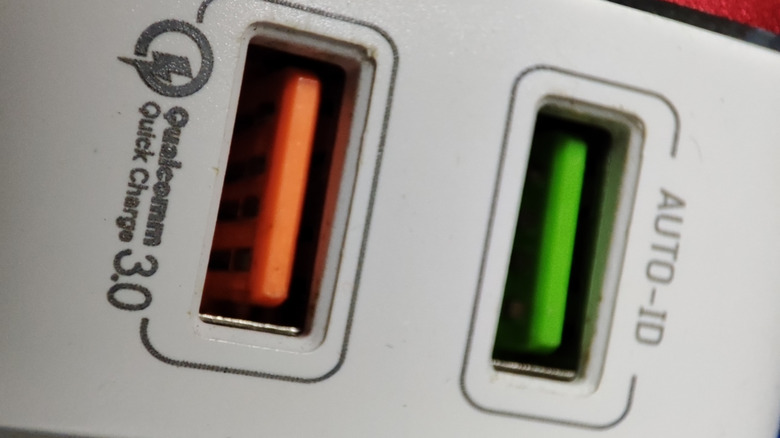
Red USB Ports: decoding the Color & Capabilities
Many modern devices feature USB ports in a variety of colors, leading to consumer confusion about thier functions. While often overlooked,the color of a USB port isn’t arbitrary-it indicates specific capabilities and power delivery standards. understanding these distinctions can optimize device performance and charging speeds.
The proliferation of USB standards-from the older USB 2.0 to the latest USB4-necessitates visual differentiation. Manufacturers employ color-coding to signal a port’s data transfer speed, power output, and compatibility with specific technologies like Quick Charge. This allows users to connect devices to the most appropriate port for optimal functionality, preventing bottlenecks and ensuring efficient operation.
What Does the Color indicate?
Traditionally,a red USB port signifies enhanced capabilities compared to its black or gray counterparts. Typically, red ports support:
USB 3.0 or Higher: Red often denotes USB 3.0, USB 3.1 (Gen 1 or gen 2), or even USB 3.2 ports. These standards offer significantly faster data transfer speeds than older USB 2.0 ports.
Increased Power Output: Red ports frequently deliver more power, enabling quicker charging for smartphones, tablets, and other devices. They may support standards like USB Power Delivery (USB PD) for even faster charging of laptops and other power-hungry devices.
* Dedicated Functionality: Some manufacturers reserve red ports for specific functions, such as dedicated charging while the computer is off or for connecting high-bandwidth devices like external hard drives or VR headsets.
How to Determine Your Red Port’s Capabilities
The most reliable method for identifying a red USB port’s features is to consult the device’s manual. Look for sections detailing “connectivity,” “ports,” or “specifications.” Manufacturers outline port capabilities on these spec sheets rather than relying solely on color. Alternatively, visit the manufacturer’s support website, enter your device’s model number, and review the detailed specifications.
Testing Port functionality
If the manual is unavailable, you can test the port yourself. Try charging a smartphone with the device powered off, or transfer a large file to a USB drive to assess the transfer speed. Faster charging and data transfer rates indicate a higher-performance port.Gamers may benefit from the quicker response times offered by these ports, while creative professionals can leverage the faster speeds for tasks like video editing and large file transfers.
