XDA User Details $15 Pi Zero 2 W Spotify Connect Speaker Hack
Converting an aging Hi-Fi system into a modern Spotify Connect endpoint often requires bridging the gap between legacy analog hardware and current network-based audio protocols.
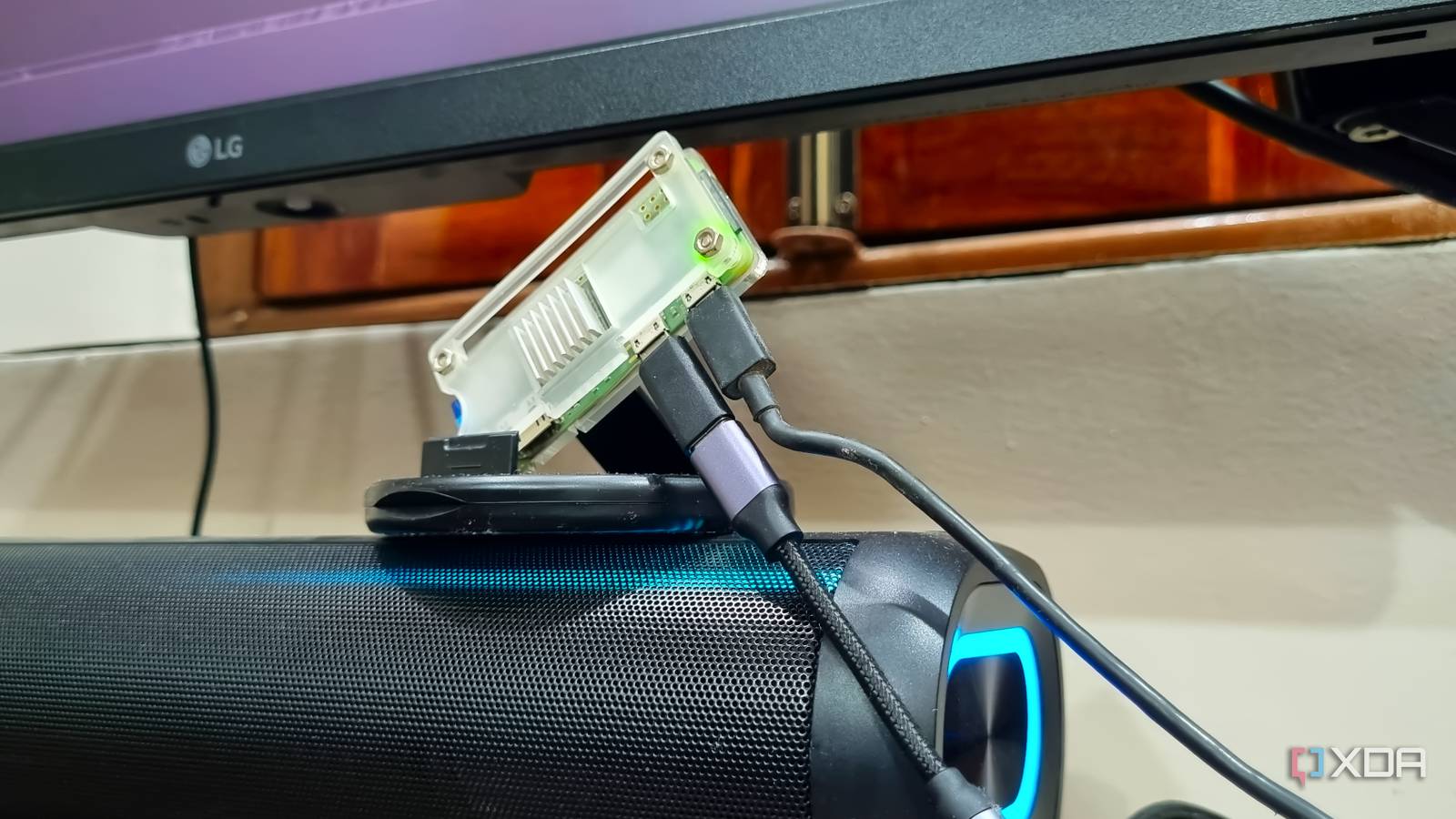
Writing for XDA, one user details the process of using a $15 Raspberry Pi Zero 2 W to bypass the limitations of standard Bluetooth streaming. The project aims to eliminate the audio interruptions caused by incoming mobile notifications and calls that typically plague Bluetooth-connected speakers.
The Tech TL;DR:
- A $15 Raspberry Pi Zero 2 W can function as a dedicated Spotify Connect client, isolating audio streaming from phone-based system sounds.
- The Zero 2 W lacks an integrated audio jack, necessitating an external USB DAC to facilitate analog output to legacy speakers.
- The setup utilizes the open-source Raspotify client, which allows the SBC to appear as a network-accessible speaker without requiring a full-featured audio operating system.
The primary hardware challenge identified in the project is the absence of an audio output port on the Zero 2 W. While larger models like the Raspberry Pi 4 Model B include integrated audio options, the Zero 2 W is designed as a compact, budget-friendly SBC for embedded development.
To route audio, the author integrated a USB Type-C DAC connected via an OTG adapter, noting that such peripherals are generally available in the $5–20 price range.
| Component | Primary Function | Estimated Cost |
|---|---|---|
| Raspberry Pi Zero 2 W | Spotify Connect Host | $15 |
| USB Type-C DAC | Digital-to-Analog Conversion | $5–$20 |
| OTG Adapter | USB Interface Bridge | Varies |
The software stack relies on Raspotify, an open-source client built on the librespot library. Unlike specialized audio-centric operating systems such as moOde Audio OS, this implementation runs on a minimal Raspberry Pi OS Lite installation. This approach maintains a low resource footprint and prevents the overhead associated with full-scale audio distributions.
To verify the audio chain before deploying the streaming service, the author utilized Advanced Linux Sound Architecture (ALSA) utilities to identify the DAC and execute a hardware-level sound test. The following command sequence was used to confirm the output path:
sudo apt install -y alsa-utils
aplay -l
speaker-test -D plughw:0,0 -c 2 -t wav -l 1
Following the hardware validation, the author configured the Avahi daemon to ensure the device is discoverable across the local area network. By installing Avahi, the Raspberry Pi broadcasts its availability, allowing mobile and desktop Spotify applications to detect the unit as a selectable playback destination.
The installation process is handled through a shell script provided by the project maintainers on GitHub, which automates the retrieval and deployment of the librespot binary.
By shifting from Bluetooth to a Wi-Fi-based Spotify Connect architecture, the speaker effectively becomes an independent network node. The author notes that playback control is offloaded to the phone, which acts as a remote rather than the primary audio source. This architecture ensures that system sounds and notifications remain local to the phone, while the SBC handles the stream via the network interface.
“The Raspotify service keeps running in the background and persists even if you reboot the SBC,” the author writes. This persistence ensures that the “Music Pi” device remains consistently available for any Spotify-authenticated client on the network. The author observes that this configuration successfully revives older speaker systems that lack native streaming capabilities, effectively extending their lifecycle through low-cost hardware integration.