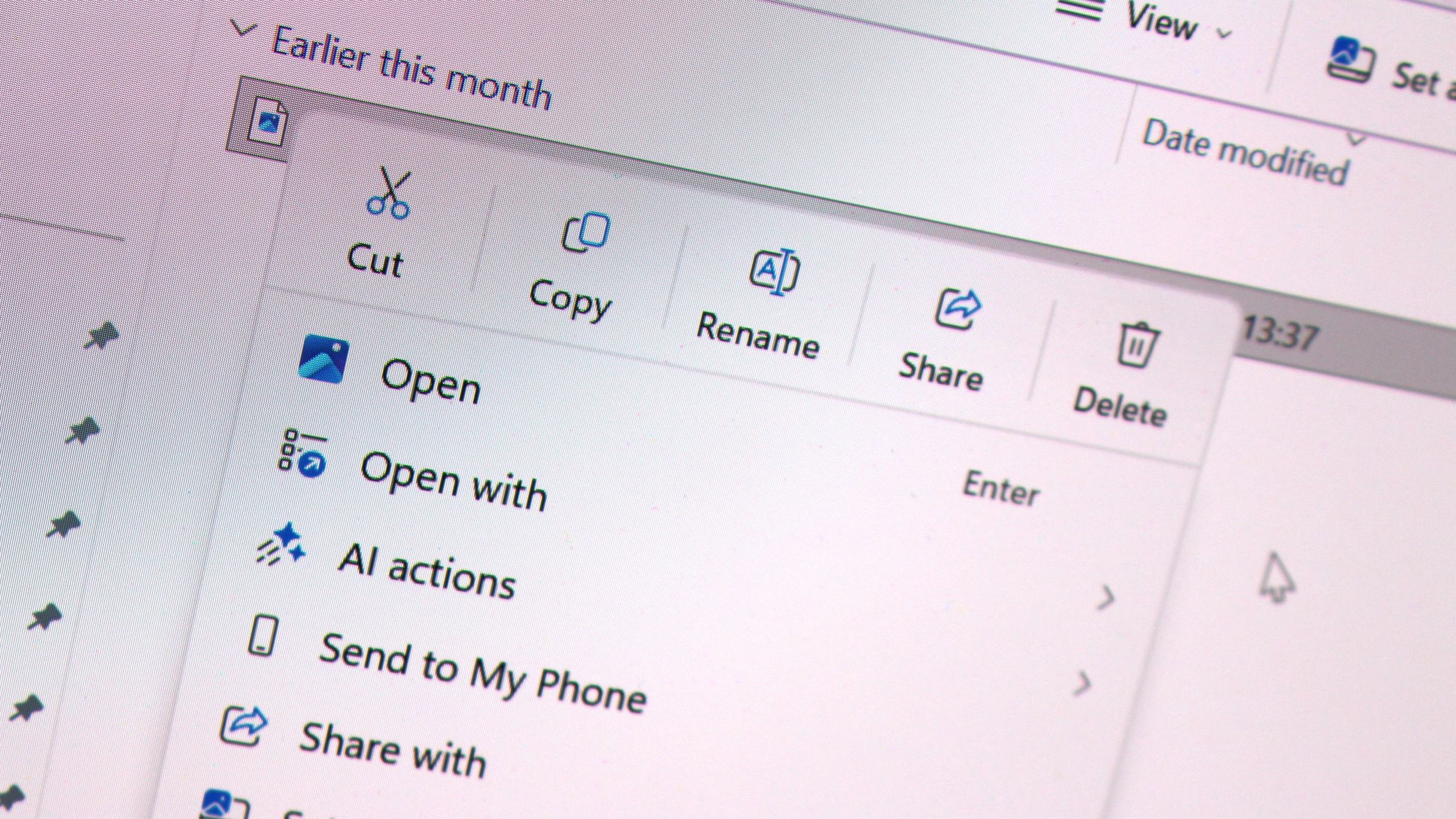
Windows 11 Update KB5127936 Brings Faster, Customizable Context Menus
Microsoft rolled out Windows 11 update KB5127936 as an optional non-security release, introducing faster, simpler, and more customizable context menus alongside File Explorer changes and an Xbox task view interface, as windowscentral.com reported.
What KB5127936 Changes in Windows 11 Context Menus
The update overhauls right-click menus to open instantly and reduces visual clutter. Users can turn built-in commands like Send to and Create shortcut on or off. The layout lets people add Print directly to the menu. App extensions can appear in the main menu, a submenu, or remain hidden. Cut, Copy, Paste, Rename, Delete, and Share display directly as standard menu items rather than a horizontal row of icons. Properties moves to the very bottom of the menu.
Windows 10 users benefit from the update as well. It restores common actions such as cut, copy, and paste into a vertical list view. Unwanted apps appearing inside the menu can be turned off.
How Microsoft and Other Outlets Frame the Rollout
Windows Central described the right-click menu upgrades as insanely good in hands-on testing. Microsoft pushed out KB5127936, advancing the Windows 11 Insider Release Preview Channel to builds 26200.9807 for version 25H2 and 26300.9807 for version 26300.9807 across all editions. News Minimalist noted that the release scores a significance ranking in the top 33 percent of analyzed articles.
File Explorer gains tilde address bar support, borrowing the shorthand alias from Unix and PowerShell where typing tilde jumps straight to the user profile directory. Folder Options gains dark mode support. Microsoft splits the release into a gradual rollout where features trickle out and a normal rollout that delivers bug fixes immediately.
When Users Will See the New Features
Features are rolling out gradually. Users must ensure the toggle for getting the latest updates as soon as they are available is enabled in Windows Settings to receive them faster. Even with the toggle active, waiting is required before the options appear.