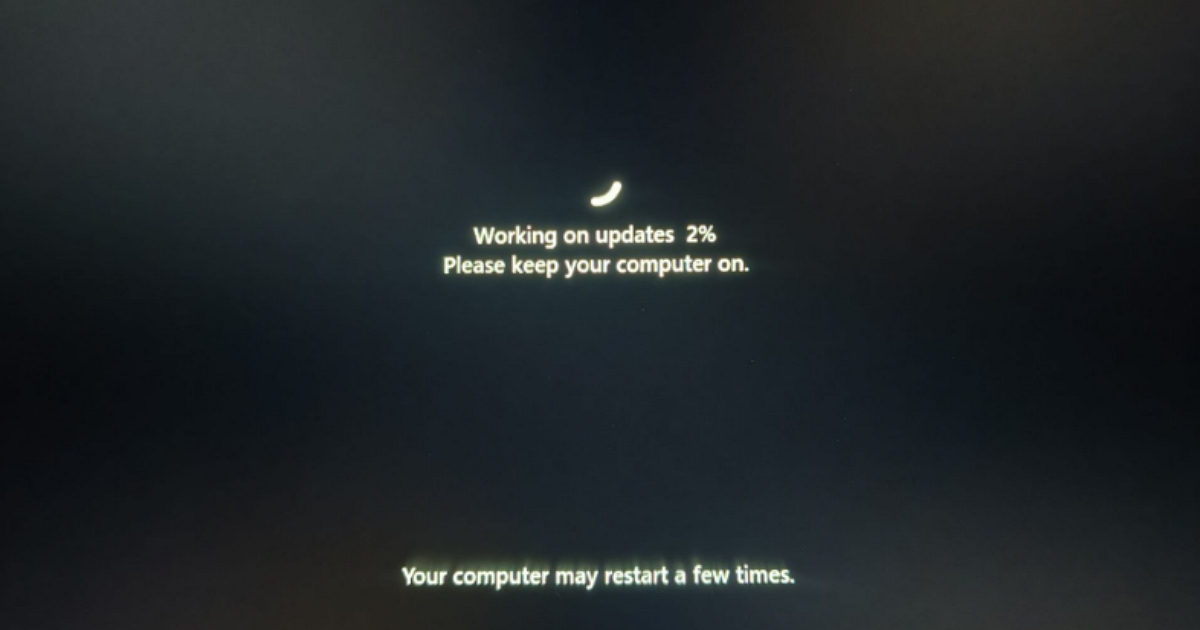
Windows 11 Update Boot Loop: Why You Should Not Force Shutdown
Microsoft has issued an urgent warning to Windows 11 users experiencing recurring system restarts or frozen progress bars during update installations. The company explicitly advises users against performing a forced shutdown, noting that interrupting the update process at this stage can result in severe system instability or the total failure of the operating system.
## Risks of Interrupting Windows Updates
When a Windows 11 device appears to be stuck on a progress screen or enters a boot loop during an update, the system is actively modifying critical OS files. Microsoft’s guidance emphasizes that cutting power—either by holding the physical power button or removing the battery—prevents the installation from completing its necessary write operations. This action often leaves the system in a corrupted state where it can no longer successfully load the Windows environment, typically requiring a complete reinstall or advanced recovery measures to restore functionality.
## Identifying Update Hangs vs. Normal Processing
System updates in Windows 11 may occasionally take longer than expected due to the size of the cumulative patch or the speed of the underlying hardware, such as traditional hard drives versus solid-state drives. A progress bar that remains stationary for an extended period does not necessarily indicate a system crash. Microsoft recommends that users exercise patience and allow the update process to run its course. Even if the screen appears unresponsive for several hours, the background processes may still be finalizing the configuration of system drivers and registry keys.
## Recommended Recovery Procedures
If a device remains unresponsive for an excessive duration, Microsoft suggests verifying the status of the update through official support channels before taking hardware-level actions. In instances where the update process has definitively failed, the operating system is designed to automatically attempt a rollback to the previous, stable version of Windows. This automatic recovery feature relies on the integrity of the existing system files, which is why the company stresses that users must avoid manual interference.
For users who encounter persistent issues, Microsoft provides an official “Windows Update Troubleshooter” accessible via the Settings menu or the company’s support website. This tool is designed to identify and repair corrupted update components without the risks associated with a forced power cycle. The company continues to monitor reports of installation loops and has not yet released a secondary patch to address the underlying cause of the hang, leaving the current recommendation to wait as the primary guidance for affected users.