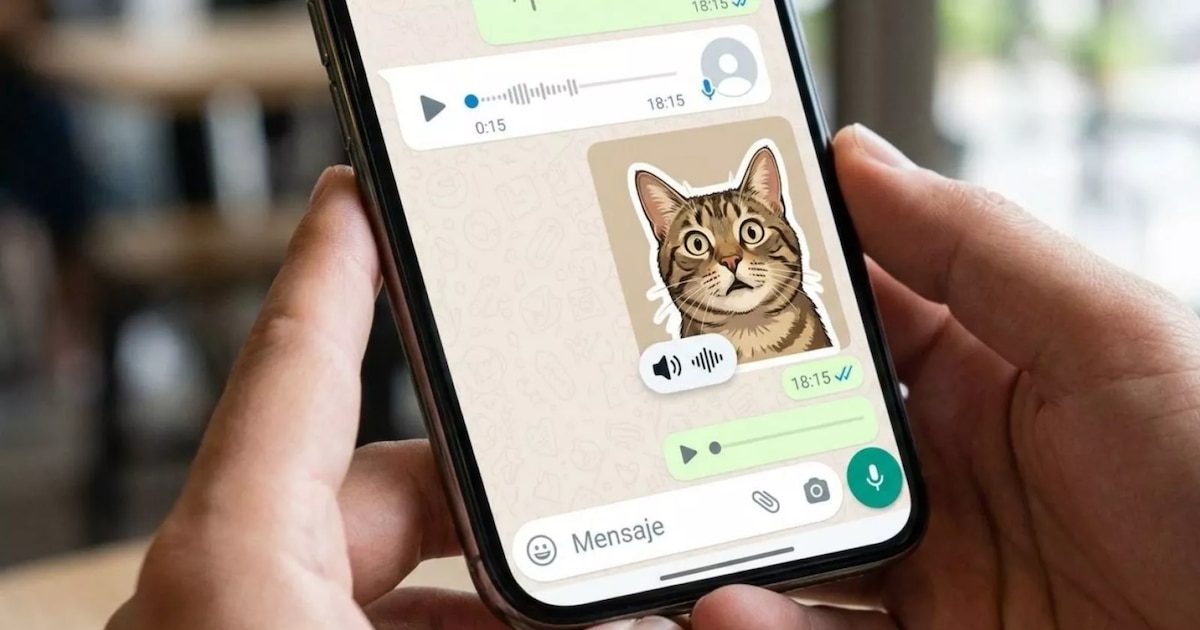
WhatsApp Began Rolling Out Audio Stickers With 10-Second Clips on Nov. 24
WhatsApp started rolling out stickers with embedded audio on Nov, according to infobae. 24, letting users attach voice clips or sound effects up to 10 seconds long to static or animated images.
Playback does not start automatically when a chat opens, and the system respects the phone’s silent mode, a design choice Meta made to avoid unexpected noise in group conversations.
Users can also mute sound stickers manually, a setting that remains the default for future ones they receive. Some recipients on social media have already reported they can add audio to stickers and that several are circulating in chats shared with friends or family.
How to create and send them
Users who have the feature enabled can build sound stickers inside WhatsApp’s native editor without third‑party apps. The steps to create stickers with audio, as detailed by Milenio, are:
- Open any individual or group chat.
- Tap the sticker tray in the keyboard and choose Create.
- Select a photo or a video from the gallery.
- Press the new sound‑wave icon that appears in the editing toolbar.
- Record a voice message or pick an audio file stored on the device.
- Trim the clip to the desired segment.
- Save and send.
Static stickers created from photos accept recordings up to 10 seconds. Stickers made from videos retain up to five seconds of the original soundtrack, El Tiempo and Milenio both noted. Recipients can save forwarded sound stickers to their favorites just like regular ones.
When creating a sticker from a photo, the editor automatically highlights the important parts of the image. For video stickers, users adjust the video fragment they want to cut, with a maximum of five seconds, then review the audio before saving.

Availability and rollout
The rollout is gradual and account‑based, so updating the app does not guarantee immediate access. La Nación reported the function is live for testers on Android beta 2.26.47.1 and iOS TestFlight 26.46.10.70. El Colombiano added that some users without the creation tool can still receive, play and forward sound stickers sent by others.
If the feature does not appear, users can update WhatsApp via Google Play Store or App Store and wait a few minutes or hours for the function to activate. Meta has not announced a completion date for the global release.
Android Authority spotted sound‑sticker tool in beta
Android Authority first identified the sound‑sticker capability in WhatsApp beta 2.26.41.11 for Android, noting the new sound‑wave icon that appears in the editing toolbar when a user creates a sticker from a photo, according to El Tiempo. The same outlet detected an extra toggle that lets creators turn the default white border around cut‑out images on or off, a customization previously forced on every sticker.

El Tiempo added that the rollout is gradual and account‑based, so simply updating the app does not guarantee immediate access; users may need to wait minutes or hours after an update for the function to activate.
Official sticker packs and chat‑box redesign
Beyond user‑generated stickers, El Tiempo reported that WhatsApp is preparing official sound‑sticker packs for its in‑app store, expanding the range of ready‑made audio‑enabled images available in conversations. The same source said the company is also working on a redesign of the chat text box that would accompany the new sticker format.
Semana said that the creation flow for video‑based stickers is expected to let users keep the original video soundtrack, record a fresh voice note or import an audio file, then trim the chosen segment before sending. That description aligns with the five‑second video‑audio limit already seen in beta builds.
Sound stickers stay encrypted; third‑party options exist
Both images and associated sound files are protected by WhatsApp’s end‑to‑end encryption, according to WABetaInfo. The possibility of creating stickers with audio already existed with third‑party tools such as Sticker.ly or Stiksound, both free. An alternative is to search Facebook or TikTok for terms such as “stickers con audio” or “stickers con sonido para WhatsApp”.