
Google Fi Shifts Web Calling to Messages, enables RCS After Update
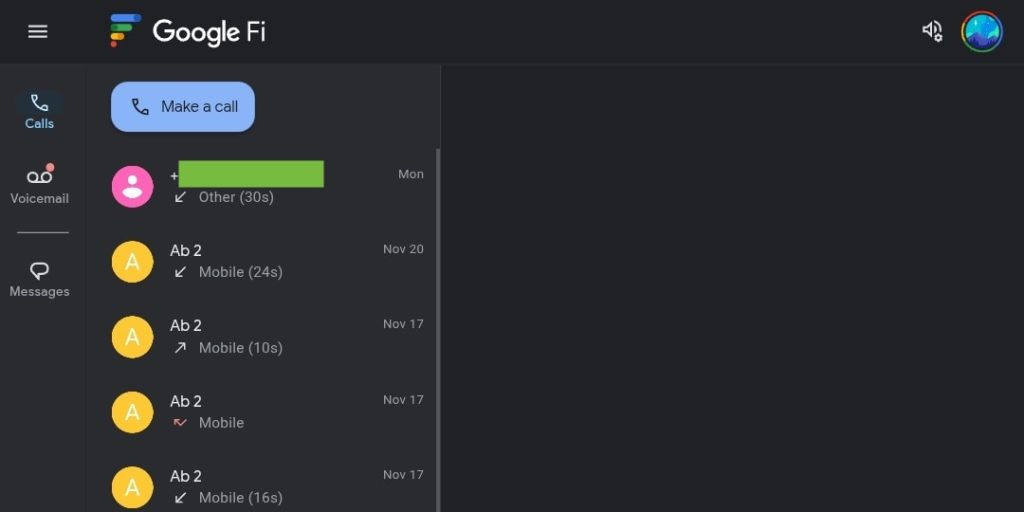
Google Fi is streamlining its web calling experience, moving all users to the existing messages.google.com/web platform. The change consolidates call and voicemail access within the Messages interface, accessible via a new “Webcalls” page integrated into the navigation drawer alongside “Calls” and “Voicemail” tabs.
Previously, Google Fi offered a standalone web portal for calls and voicemails. now, the service aims to unify communication by linking calls and voicemails directly with Messages for web, including support for feature-rich RCS chats with high-resolution media sharing. Even with a phone powered off, users can continue to make and receive calls while signed in to the web interface.
The transition means a slight shift in how some features function. Deleting a call history entry on the web won’t sync across devices, while voicemail deletions will be removed from all synced devices. Currently, web users cannot delete multiple calls or voicemails together. Google notes a 24-hour activation wait period for web calls following initial Google Fi service activation on an Android phone.
Enabling RCS functionality requires a temporary workaround. Users must first “Stop sync with Google Fi” within the Messages app settings, then re-enable RCS at the top of the settings page. The process involves these steps:
- Open Google Messages.
- Tap your Profile picture or Initial > Messages settings.
- Tap Advanced > Google Fi wireless settings > Sign in to your Google Fi account.
- Select your account.
- Select turn off in the “Using RCS chats?” dialog.
- Tap Sync conversations.
- tap Stop sync & sign out.
- Confirm by tapping Stop syncing.
Google highlights that the update “syncs with your messages,” allowing for seamless transitions between calls and text conversations. Further details on Google Fi Web Calls are available here.
