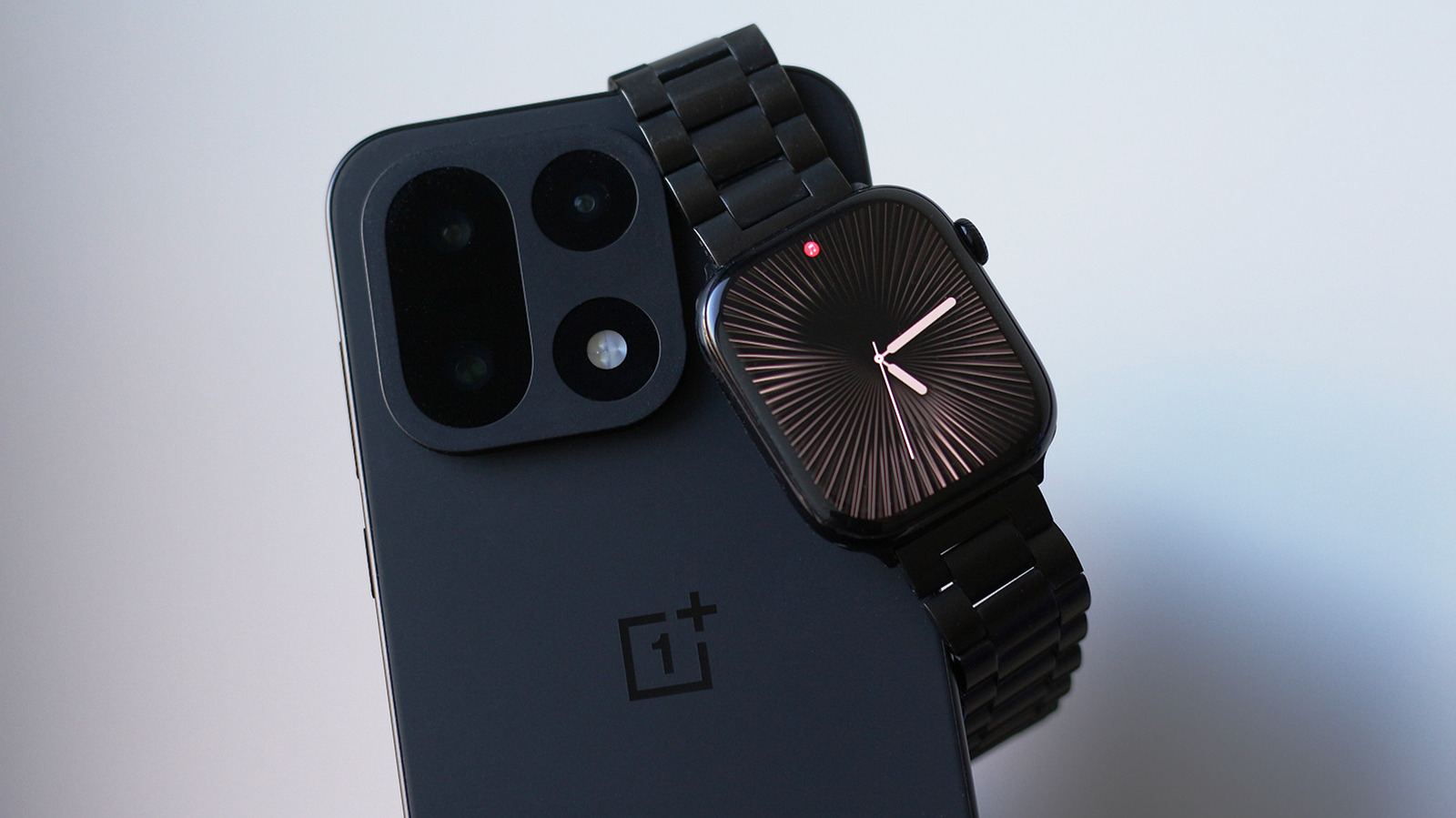
How to Use an Apple Watch With an Android Phone Using Merge Watch
If you recently switched from an iPhone to an Android device like a OnePlus handset running Android 16, you no longer have to leave your Apple Watch behind in a drawer, thanks to a third-party app called Merge Watch that bridges the ecosystem divide using Bluetooth and end-to-end encrypted internet relays.
The Tech TL;DR:
- Core Functionality: Merge Watch pairs an Apple Watch with Android devices, handling notification forwarding, fitness sync, and media controls.
- Setup Requirements: Users must initially activate the watch with an iPhone, install the app from the App Store and Google Play Store, and grant bluetooth, health, and notification permissions.
- Trade-offs: The service requires a subscription tier costing up to $6 a month, features slight battery drain from background execution, and routes notifications via an app interface rather than native watchOS prompts.
Bridging the iOS and Android Ecosystem Divide
Historically, users attempting cross-platform workarounds were forced to rely on cellular-enabled Apple Watch models operating independently from their primary phones. Merge Watch alters this paradigm by establishing a communication bridge between an Android device—specifically tested on a OnePlus 15 running Android 16—and an Apple Watch Series 10 running watchOS 27.
The installation workflow requires initial device provisioning through an iPhone for activation. Once completed, the user installs the companion utility onto the Apple Watch via the App Store and onto the Android smartphone via the Google Play Store. Launching the software on both platforms prompts authorization requests for Bluetooth permissions, health data access, notification listeners, and battery optimization exclusions. Finalizing the pairing sequence involves selecting the Android phone’s identifier on the watch display and confirming a cryptographic six-digit pairing code.
Performance, Notification Mirroring, and Health Sync
Evaluating the day-to-day usability reveals a mixture of native capabilities and third-party software constraints. According to testing details published by Engadget, notification forwarding operates reliably, allowing users to read incoming alerts and type out replies directly from their wrist. When streaming audio through Spotify or other media platforms, wrist-based playback controls respond correctly. Physiological metrics captured by the watch sensors transfer over to Google Fit, though initial synchronization times can exhibit noticeable latency.
Despite these capabilities, the experience diverges significantly from native iOS integration. Because notifications arrive strictly through the Merge Watch application layer rather than native watchOS notification centers, users interact with an app-within-an-app interface. The setup functions more as notification mirroring than intelligent routing; unlike Apple's native ecosystem management, the Android host phone continues to vibrate and sound alerts even when the user is actively wearing and viewing the watch. Privacy considerations are addressed via the developer’s privacy policy, which states that data remains primarily on local devices while internet-relayed notifications utilize end-to-end encryption. However, unlocking the full suite of features requires committing to a paid subscription model priced at $6 per month.
Hardware Limitations and Power Consumption Realities
Running the cross-platform setup with the original iPhone completely powered down highlights operational bottlenecks. Because Merge Watch relies predominantly on Bluetooth connections to relay data without mandating constant watch internet access, intermittent connectivity drops can occur. When the background service goes to sleep, notifications may halt until the user manually relaunches the application on the Apple Watch, occasionally triggering a delayed batch of accumulated alerts all at once.
Continuous background polling exacts a quantifiable toll on hardware longevity. Testing on the Apple Watch Series 10 demonstrated slightly elevated power consumption, a direct consequence of the companion service maintaining active background tasks throughout the day to fetch and mirror alerts.
*Disclaimer: The technical analyses and security protocols detailed in this article are for informational purposes only. Always consult with certified IT and cybersecurity professionals before altering enterprise networks or handling sensitive data.*