
Chrome’s AI-Powered Security: Taking Back Control of Local models
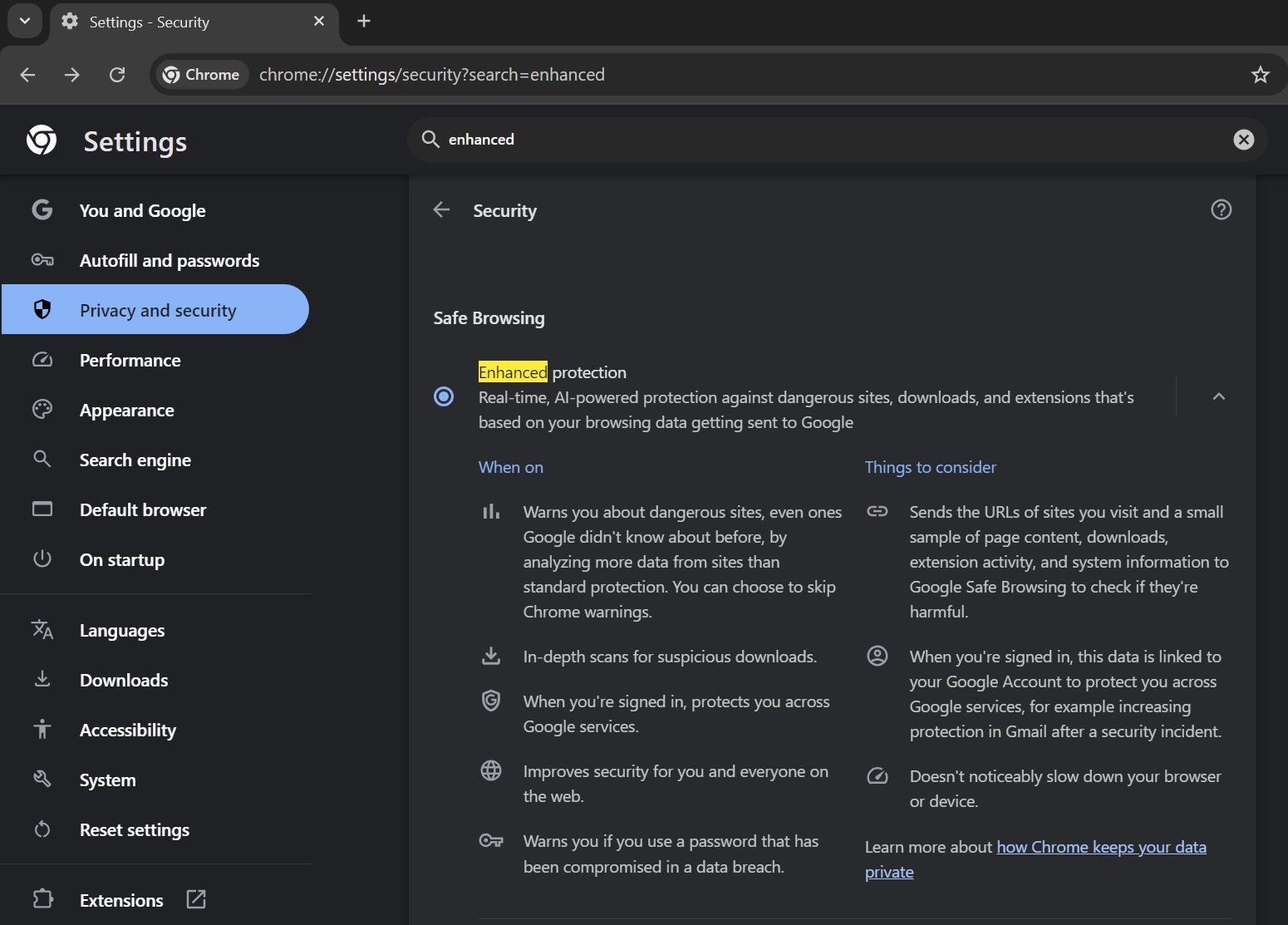
Google Chrome now allows users to delete the local AI models that drive its “Enhanced Protection” feature. Introduced last year,Enhanced Protection leverages AI to provide real-time security against malicious websites,downloads,and extensions. This new capability gives users greater control over their browser’s security features and data usage.
Understanding Enhanced Protection and Local AI Models
Enhanced Protection has been a part of Chrome for several years, offering a more proactive security layer than standard protection. The update last year integrated AI models directly into the browser to analyze potential threats in real-time. These models operate locally on yoru device, meaning data doesn’t necessarily need to be sent to google’s servers for analysis. However, this also means the models themselves reside on your computer, raising privacy considerations for some users.
Why Delete the Local AI Models?
While Enhanced Protection offers notable security benefits, some users may prefer to remove the local AI models for several reasons:
- Privacy Concerns: Some users are uncomfortable with AI models residing on their devices, even if the data processing is local.
- Disk Space: AI models can consume a noticeable amount of disk space, notably on devices with limited storage.
- Resource Usage: Although designed to be efficient, the models can still contribute to CPU and memory usage.
How to Delete the Local AI Models
Deleting the local AI models is a straightforward process:
- Navigate to Chrome Settings: Click the three vertical dots in the top-right corner of Chrome and select “Settings.”
- Go to Privacy and Security: Click on “Privacy and security” in the left sidebar.
- Select Security: Click on “Security.”
- choose Enhanced Protection: Ensure “Enhanced protection” is enabled.
- Click Delete local AI models: You’ll find this option at the bottom of the Enhanced Protection settings.
- Confirm the deletion.
Deleting the models will disable some of the advanced features of Enhanced Protection. Chrome will revert to using server-side AI analysis for security,which may have a slight impact on performance but maintains a high level of protection.
What Happens After Deletion?
Once the local AI models are deleted,chrome relies on Google’s servers to analyze potential threats. This means your browsing data will be sent to Google for security checks. While Google states this data is anonymized and used solely for security purposes, it’s a trade-off between local processing and potential privacy implications. You can re-download the models at any time to restore local AI-powered protection.
Key Takeaways
- Chrome’s Enhanced Protection uses local AI models for real-time security.
- Users can now delete these models to address privacy, disk space, or resource usage concerns.
- Deleting the models shifts security analysis to Google’s servers.
- The deletion process is simple and reversible within Chrome’s settings.
