Kicking off the 2026 beta period, Apple is rolling out today macOS 26.3 beta 2 for developers, alongside beta 2 releases for iOS 26.3, iPadOS 26.3,and more. here’s what’s new.
’0 New Features’
While this callback may be an exaggeration, it is also not that far from the truth. The first beta for macOS Tahoe 26.3 didn’t bring many new features or significant code changes, which suggests that this will be a relatively quiet beta cycle for the Mac.
That is in contrast to iOS, where Apple is further laying the groundwork for the EU-mandated third-party notification forwarding, among other tidbits that include new iPhone wallpapers and a new wallpaper section.
The release build for macOS Tahoe 26.3 beta 2 is 25D5101c.
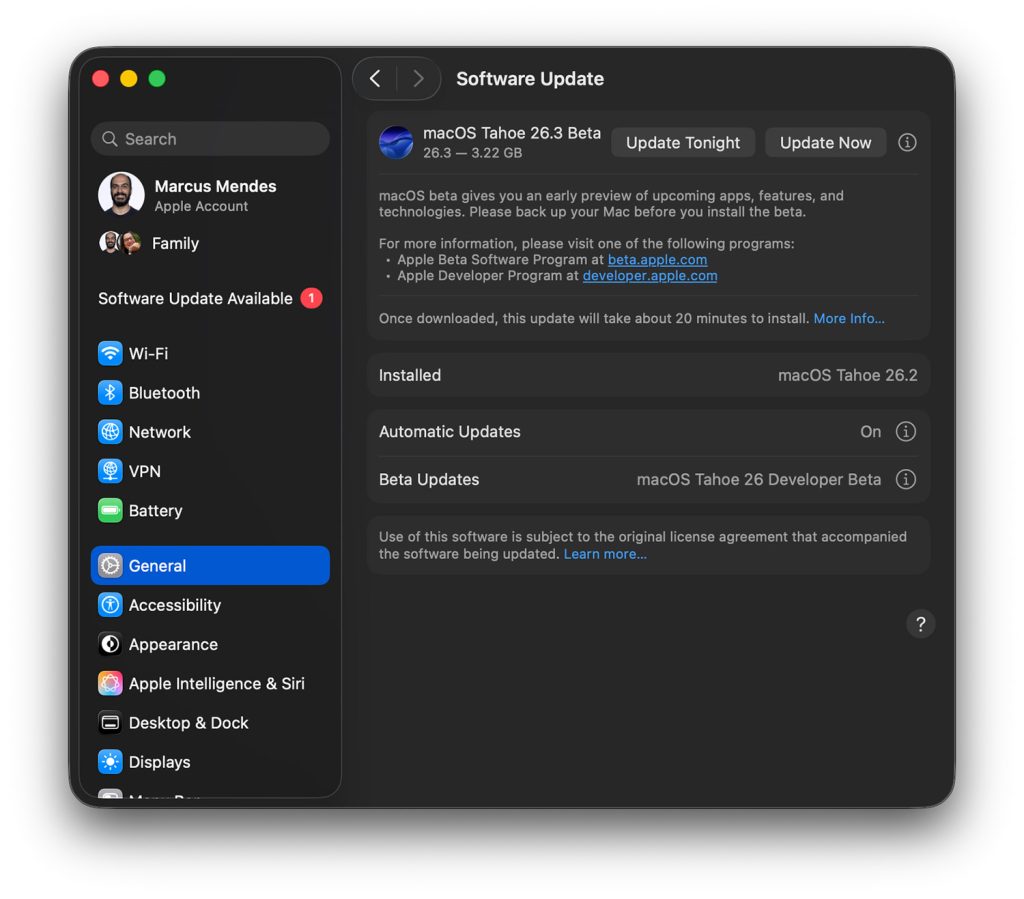
How to install the new beta
Here’s how to install macOS Tahoe 26.3 developer beta 2:
- Backup your Mac
- Open System Settings
- Go to General ⇾ Software update
- Click the ‘i’ icon next to Beta Updates
- From the dropdown menu in the top-right,select the macOS Developer Tahoe Beta
- Hit ‘Done’
Did you spot any changes in today’s beta? Let us know in the comments.
Accessory deals on Amazon


FTC: We use income earning auto affiliate links. more.