
Spotify Finally Lets You Untangle Your Taste: No More Guilty Pleasure Recommendations
October 2, 2025 – Spotify, long lauded for its remarkably accurate music recommendations, is giving users more control over how those recommendations are made. A new feature rolling out now allows listeners to exclude specific songs from influencing their personalized “Taste Profile,” addressing a common frustration: the accidental skewing of recommendations by one-off listening habits or shared playlists.
For years,Spotify’s algorithm has meticulously tracked listening data to curate tailored playlists and suggestions. While generally effective, this meant a guilty pleasure binge or a friend’s eclectic party playlist could subtly – or not so subtly – alter your musical feed. Create a playlist of German rap for a friend? Prepare for a potential influx of similar suggestions,even if your usual preference is heavy metal.
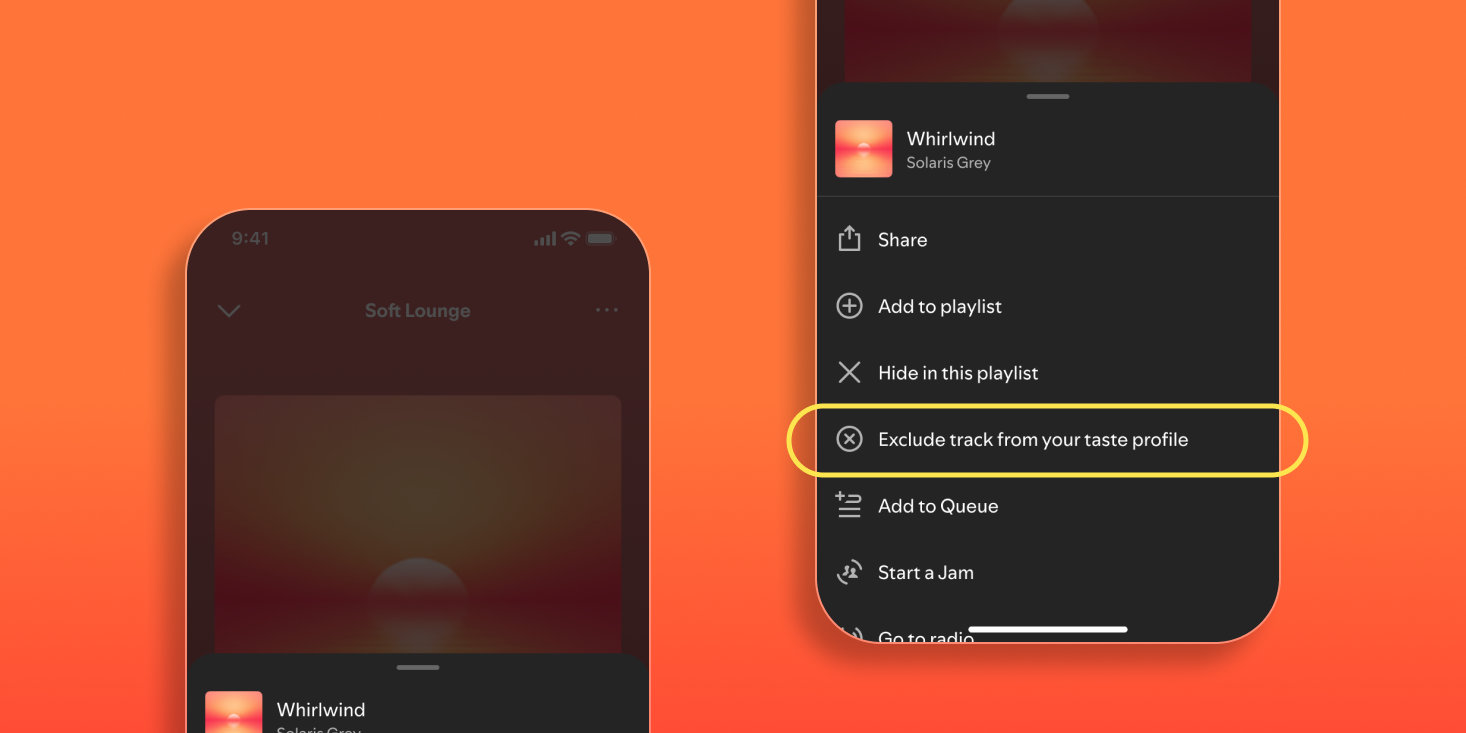
those days are numbered. Spotify announced the new exclusion option today, allowing users to “hide” songs from their Taste Profile without removing them from their library or playlists. Previously, hiding a song only masked it from your immediate view, but it still factored into the algorithm’s overall assessment of your preferences.
[Image of Spotify web player showing the new exclusion feature. Caption: Spotify now lets you exclude songs from influencing your personalized recommendations.| Image: Spotify]
“In the background, Spotify creates a complete taste profile that should take all your preferences into account,” explains Spotify in a newsroom post. “But sometimes you only hear ‘Guilty-Pleasure’ songs for a day or come your friend in the inside with the music together with the music.You don’t want to see that permanently anchored.”
Crucially, this feature isn’t limited to Premium subscribers. Both free and paid users can access the exclusion option across all platforms – mobile apps (Android and iOS), the web player, and the desktop app. To exclude a song, simply tap the three dots next to the track title and select “Exclude from your Taste Profile.” Currently
