
defendnot: A New Tool Bypasses Microsoft Defender
A novel tool, dubbed ‘Defendnot,’ has emerged, capable of disabling Microsoft Defender on Windows devices. This is achieved by registering a counterfeit antivirus product, even in the absence of a genuine antivirus solution.
How defendnot Works
The technique exploits an undocumented Windows Security Center (WSC) API. This API is typically used by antivirus software to signal to Windows that it is installed and actively managing real-time protection for the device. When a legitimate antivirus program registers itself,Windows automatically deactivates Microsoft Defender to prevent conflicts arising from multiple security applications running concurrently.
Did You Know?
Microsoft defender is automatically disabled when a third-party antivirus is installed to avoid performance issues and conflicts.
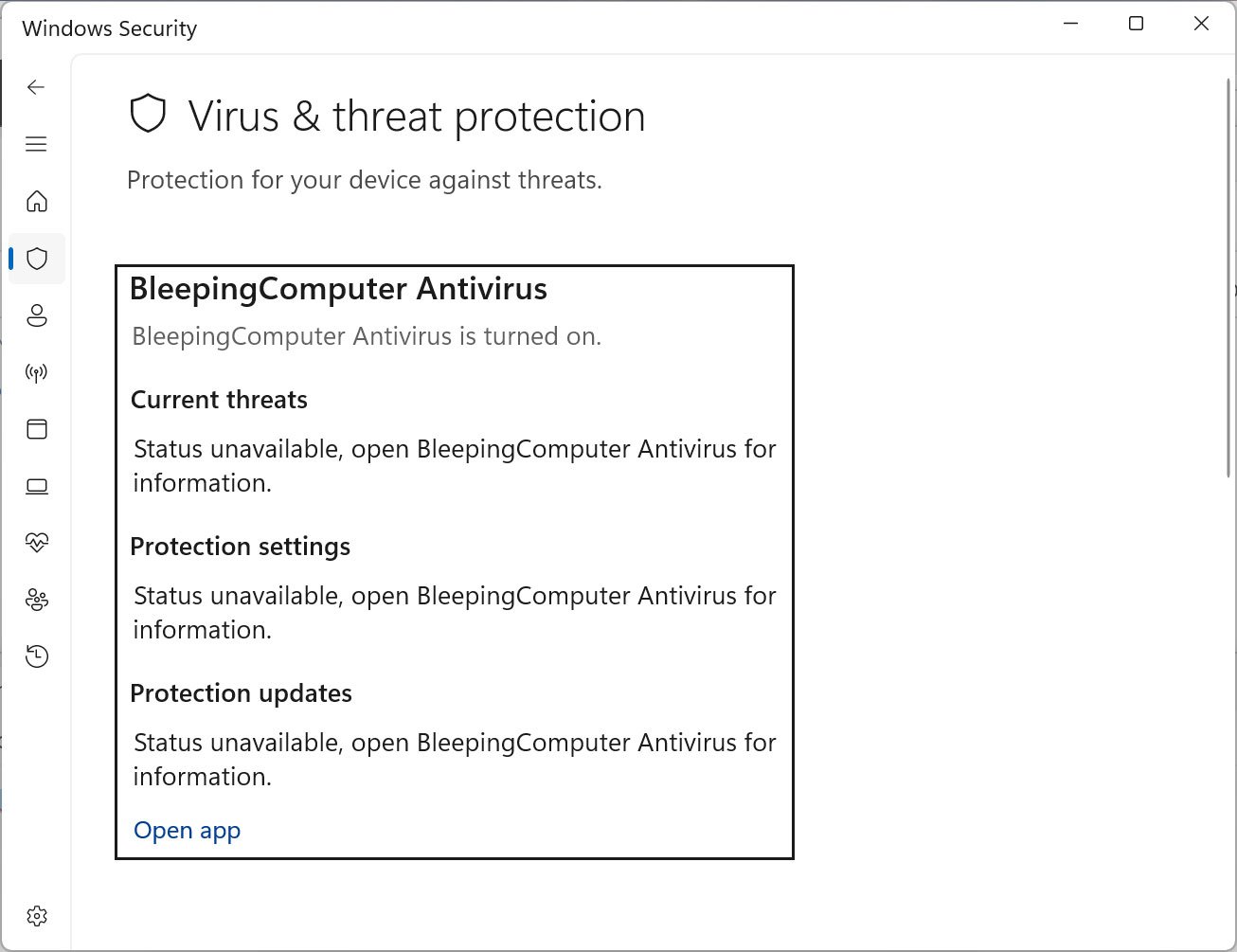
Defendnot leverages this mechanism by registering a bogus antivirus product that successfully passes all of Windows’ validation checks. The tool, available on platforms like GitHub, effectively tricks the operating system into believing a real antivirus is present, leading to the deactivation of Defender.
From No-Defender to Defendnot: An Evolution
Defendnot builds upon a previous project known as ‘no-defender.’ The earlier iteration utilized code from a third-party antivirus product to spoof registration with WSC. Though, the developers of the antivirus I was using filed a DMCA takedown request and I didn’t really want to do anything with that so just erased everything and called it a day,
the developer explained in a blog post.
To circumvent copyright issues, Defendnot was rebuilt from the ground up, employing a dummy antivirus DLL.
Bypassing Security Measures
The WSC API is typically fortified by Protected Process Light (PPL),valid digital signatures,and other security features. Defendnot circumvents these requirements by injecting its DLL into a system process, specifically Taskmgr.exe.This process is already signed and trusted by Microsoft. By operating within this trusted process, defendnot can register the dummy antivirus with a spoofed display name.
Once the fake antivirus is registered, Microsoft Defender is immediately disabled, leaving the device without active protection.
Configuration and Persistence
Defendnot includes a loader that transmits configuration data via a ctx.bin file.This allows users to customize the antivirus name, disable registration, and enable verbose logging. For persistence, Defendnot establishes an autorun through the Windows Task Scheduler, ensuring it starts automatically upon user login.
Implications and Detection
While Defendnot is primarily a research project, it highlights how trusted system features can be manipulated to disable security features. Currently, Microsoft Defender detects and quarantines Defendnot as a ‘Win32/Sabsik.FL.!ml’ detection.
Pro Tip
Regularly update your Microsoft Defender definitions to ensure protection against the latest threats, including tools like Defendnot.
