
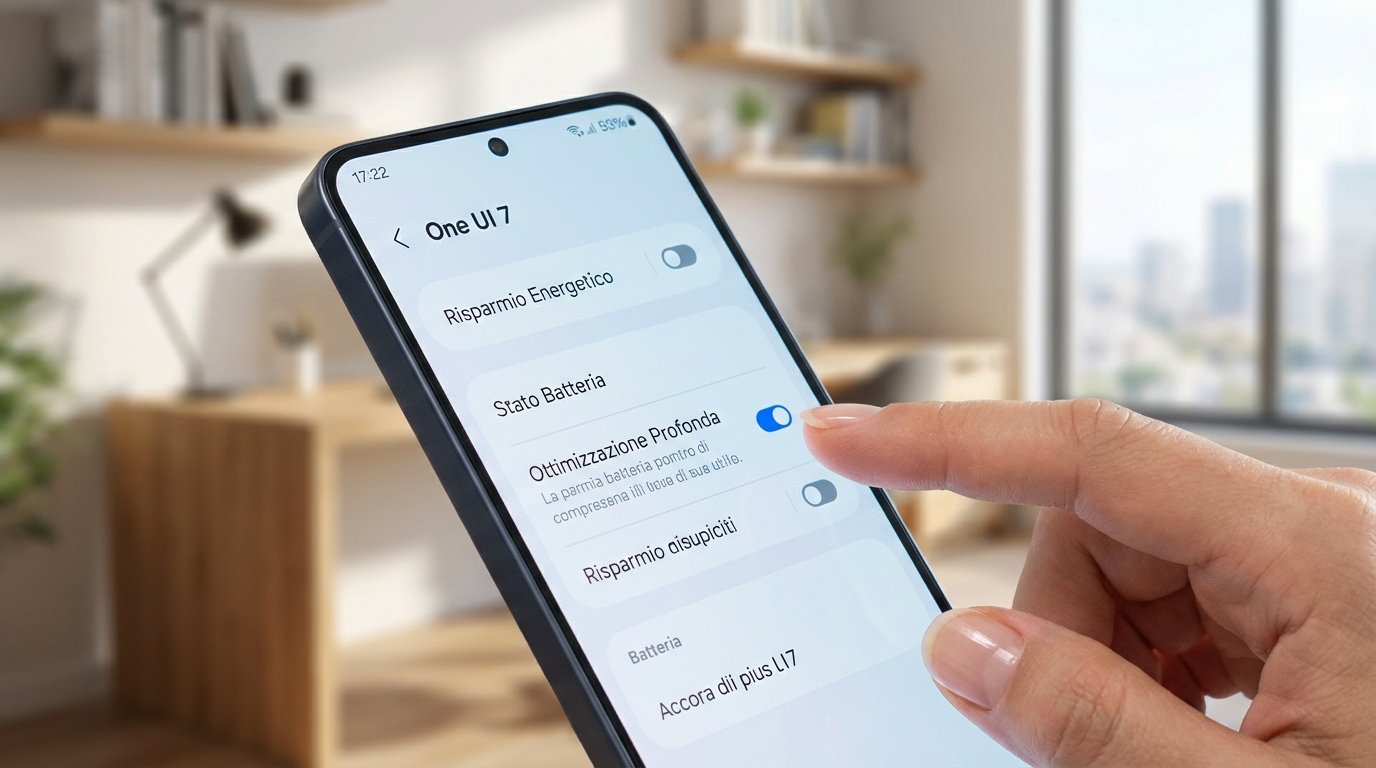
Samsung Galaxy users in Italy are reporting a significant boost in battery life thanks to a little-known feature within the recently released One UI 7 software update. Unlike traditional power-saving modes that often compromise performance, this function subtly manages background app activity to extend usage by several hours, according to early adopters.
The update addresses a common smartphone user frustration: rapidly depleting battery reserves. Previous solutions often involved sacrificing functionality, but Samsung’s approach aims for a more refined balance between power conservation and usability. “I was desperate, my S24 wasn’t lasting until 6:00 PM,” said Chiara Rossi, a social media manager in Milan. “With this new option, I now come home in the evening with still 30% battery. It has literally changed my working days; I no longer have to carry a power bank with me.”
Dubbed “Deep Optimization” by some users, the feature doesn’t simply close applications. Instead, it employs an algorithm to effectively “freeze” the background processes of apps not currently in use, preventing them from consuming unnecessary energy. Crucially, the system is designed to ensure important notifications continue to arrive without delay. This selective hibernation is the core of the battery-saving improvement.
The technology operates by intelligently managing app activity, akin to a digital butler shutting off unused lights. Many apps continue to run processes in the background even when not actively being used, consuming power. Samsung’s optimization identifies and suspends these processes, learning user habits over time to refine its approach.
Accessing the feature requires navigating to the phone’s settings. Users should open “Settings,” scroll down to “Device and battery care,” then select “Battery,” followed by “More battery settings.” The “Deep Optimization” or “Advanced app suspension” toggle is located within this menu. Once activated, the system begins to learn usage patterns, typically requiring a few days to fully optimize performance.
Following activation, the impact on battery life isn’t immediately dramatic. The device’s artificial intelligence analyzes app usage and identifies energy-intensive background processes. After this learning period, the benefits become noticeable. Beyond extending daily battery life, the feature also contributes to the long-term health of the battery itself.
Reducing the frequency of full charge cycles can mitigate the chemical degradation inherent in lithium-ion batteries. By optimizing power consumption, users may experience a slower rate of battery decline, potentially delaying the need for replacement. This optimization aims to maintain device responsiveness, avoiding the performance throttling often associated with traditional power-saving modes.
Samsung’s strategy represents a shift towards software-based optimization, contrasting with competitors who often focus on increasing physical battery capacity, which can lead to larger, heavier devices. This approach allows Samsung to maintain sleek designs without compromising battery performance. The underlying technology relies on artificial intelligence, constantly adapting to user behavior to create increasingly precise decisions about which processes to suspend. This dynamic approach is more effective than static rule sets.
The feature is primarily intended for devices receiving the One UI 7 update, initially rolling out to flagship Galaxy S and Galaxy Z series phones before expanding to newer Galaxy A series models. Older devices may not be compatible due to hardware limitations. Activating the optimization is not expected to slow down phone performance; the system is designed to operate discreetly in the background.
Samsung recommends leaving the “Deep Optimization” feature enabled for continuous, daily efficiency. Traditional power-saving modes can be used in emergency situations when battery levels are critically low, complementing the ongoing optimization process.
