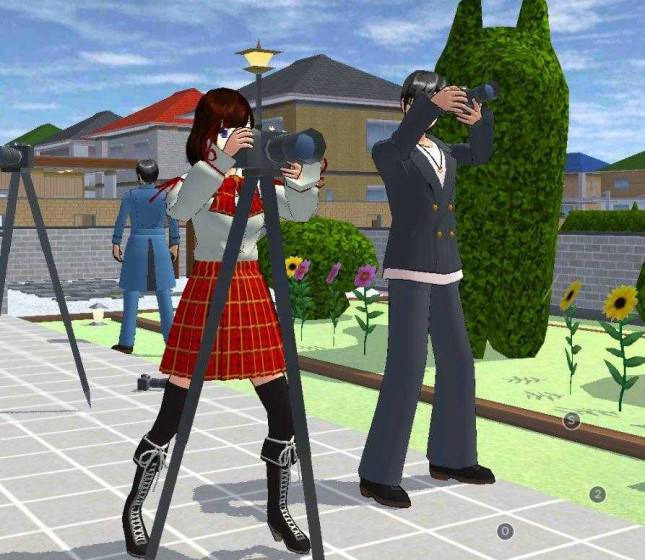
Sakura School Simulator update allows sun angle and weather changes
Sakura School Simulator Update Brings Cinematic Lighting and 700-Meter View Distance
Players can now adjust sun angles and push view distances up to 700 meters following the release of Sakura School Simulator version 1.048.18 on October 31, 2026. Developer Garusoft K.K. integrated the weather controls directly into the core game menus, removing the need for external mods or third-party tools.
The update shifts lighting past simple day-and-night cycles by letting users alter the sun’s position. This directional adjustment casts dynamic building shadows across Sakura Town, creating harsher daylight or softer evening tones depending on the chosen angle. Alongside the lighting overhaul, the software expansion extends render distances to 500 meters or 700 meters on high-end hardware. That extended horizon lets users spot distant town details, though prolonged use at the maximum setting draws heavier battery power from mobile devices.
modify sunlight trajectory through in-game menus
Adjusting the new environmental features requires using the in-game menus rather than installing separate software packages. Users access the main interface through the menu icon in the upper-left corner of the display, then select System Setting to reach the weather configuration panel.
Within the weather tab, players select the sun option to modify its trajectory across the map. While the simulation defaults to a sun originating on the right side of the landscape, manual adjustments let creators tailor the ambiance for dramatic or romantic scenes. Time transitions rely on the “Next Time” utility found in the same system menu, where repeated presses cycle the environment through morning, harsh noon, or dim night settings.
version 1.048.19 patches rendering glitches
Technical refinements followed the initial October release with version 1.048.19, which addressed specific rendering glitches such as transparent school staircases. These performance patches keep the simulation stable for a user base exceeding 100 million Android players. While high-specification devices harness the full 700-meter draw distance for sweeping city vistas, standard hardware maintains stability.
Frequently Asked Questions About Sakura School Simulator Version 1.048.18
Where is the weather menu located in the game?
The weather controls are housed under Game Setting within the menu, where players select the weather category to modify sun angles.
Do all mobile devices support the 700-meter view distance?
The 500-meter and 700-meter render distances are restricted to high-specification devices.
How do players transition from daytime to nighttime?
Users access the System Setting menu and tap the “Next Time” button repeatedly until the in-game sky shifts to the desired hour.