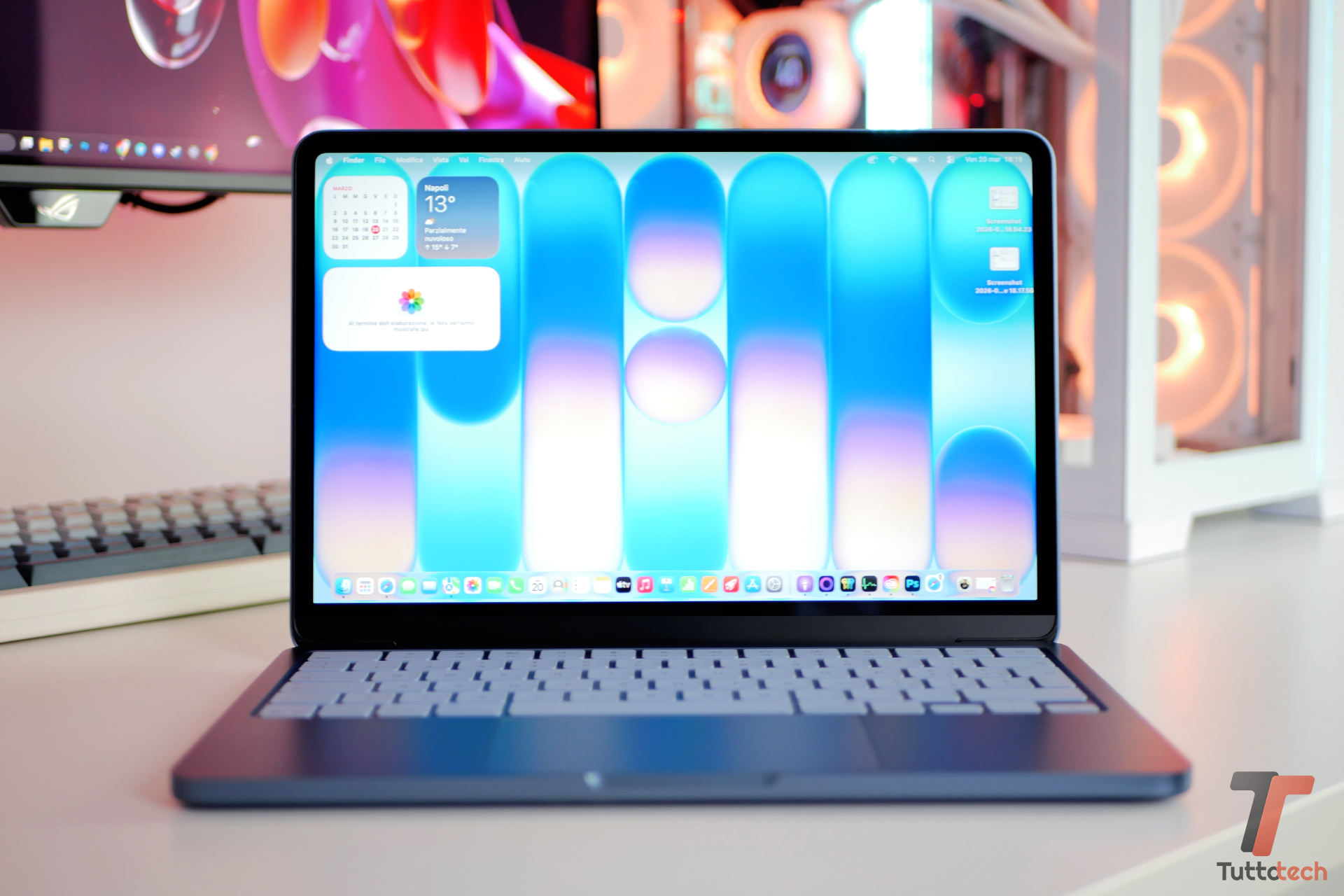
macOS 26.5 Tahoe: New Features and Installation Guide
Apple has pushed macOS 26.5 Tahoe to compatible hardware, marking a critical point release in the current software development lifecycle. While the marketing focuses on aesthetics, the architectural reality is a pivot toward deeper NPU (Neural Processing Unit) integration and a revised continuity model that alters the security perimeter of the Mac. For the enterprise architect, this isn’t just an update. it’s a change in the endpoint risk profile.
The Tech TL;DR:
- NPU Dependency: Deepened reliance on Apple Silicon’s Neural Engine for “Apple Intelligence” features, increasing the performance gap between M-series and legacy Intel hardware.
- Continuity Expansion: Integration of the Phone app and Live Activities introduces new inter-process communication (IPC) pathways between iOS, and macOS.
- UI Overhead: The “Liquid Glass” design language shifts rendering loads toward the GPU to handle real-time refraction and transparency effects.
The Architectural Pivot: Beyond the Glass
The introduction of “Liquid Glass” is often framed as a visual upgrade, but from a systems perspective, it represents a shift in how the WindowServer handles compositing. By utilizing real-time refraction and reflection, the OS is essentially treating the UI as a 3D environment. This increases the pressure on the Unified Memory Architecture (UMA), as the GPU must constantly sample background content to render the transparency effects. On lower-tier M-series chips with limited memory bandwidth, this could manifest as micro-stuttering during heavy multitasking.

The more pressing concern for CTOs is the expansion of Apple Intelligence. By moving LLM (Large Language Model) inference on-device, Apple is attempting to solve the latency and privacy bottlenecks inherent in cloud-based AI. However, this creates a massive dependency on the NPU. We are seeing a widening “compute divide” where the utility of the OS is now gated by the Teraflops (TOPS) capability of the SoC. If your fleet is still running early M1 chips, the “intelligence” features will likely be throttled or offloaded, defeating the purpose of local inference.
Managing these disparate hardware capabilities across a corporate fleet is a logistical nightmare. Most internal IT teams lack the bandwidth to audit NPU utilization across thousands of endpoints, which is why many are now outsourcing fleet optimization to managed IT service providers to ensure deployment stability.
The OS Ecosystem: Tahoe vs. The Field
When we strip away the branding, macOS 26.5 is an exercise in vertical integration. Unlike the fragmented nature of the Windows ecosystem, Apple controls the silicon, the kernel (XNU), and the application layer. This allows for optimizations that are impossible on x86 architectures.

Tech Stack Comparison Matrix
| Feature | macOS 26.5 (Tahoe) | Windows 11/12 (Copilot+) | Linux (Fedora/Ubuntu) |
|---|---|---|---|
| AI Integration | On-device NPU / Unified Memory | Hybrid NPU / Cloud-heavy | Local (Llama.cpp/Ollama) |
| Kernel Architecture | XNU (Hybrid) | NT Kernel | Monolithic (Linux) |
| UI Rendering | Metal / Liquid Glass | DirectX / Fluent Design | Wayland / X11 |
| Hardware Lock-in | Extreme (Apple Silicon) | Moderate (ARM/x86) | Low (Hardware Agnostic) |
The “Phone app” and Live Activities integration further blur the line between mobile and desktop. From a security standpoint, What we have is a double-edged sword. While it enhances productivity, it expands the attack surface. A compromised iPhone now has a more direct, authenticated pipeline into the macOS environment. This necessitates a shift toward Zero Trust architecture at the endpoint level. Organizations are increasingly deploying cybersecurity auditors and penetration testers to map these new Continuity vectors and ensure that a mobile breach doesn’t escalate into a full workstation compromise.
Implementation Mandate: Bypassing the GUI
For senior developers and sysadmins, the “Software Update” GUI is an inefficiency. To audit the update status across a dev environment or force a deployment via SSH, the command line is the only viable path. The following sequence allows you to query available updates and execute a forced installation without manual intervention.
# Query the Apple update servers for available packages softwareupdate -l # Force installation of all pending updates, including the 26.5 point release # -i: install, -a: all, -R: automatically restart if required sudo softwareupdate -iaR # Verify the current build version to ensure the push was successful sw_vers“The trend toward on-device LLMs is a necessary evil for privacy, but it transforms the OS from a resource manager into a model orchestrator. The real battle isn’t in the UI—it’s in the memory bandwidth.”
— Lead Systems Architect, Silicon Valley Infrastructure Group
The Bottleneck: Memory Pressure and SOC 2 Compliance
As macOS 26.5 integrates more AI-driven “intelligent actions” into the Shortcuts app, the system’s memory footprint grows. We are seeing a trend where 8GB of RAM is no longer sufficient for professional workflows, as the NPU requires significant carve-outs from the unified memory pool to store model weights. This leads to increased swap file usage on the SSD, potentially impacting the lifespan of the NAND flash over several years of heavy use.
for firms maintaining SOC 2 compliance, the automation of text summarization and image generation via Apple Intelligence introduces data provenance challenges. If the OS is autonomously summarizing sensitive client data, the audit trail must be airtight. This is no longer a “user preference” issue; it is a compliance requirement. Firms are now seeking compliance consultants to redefine their data handling policies in the age of local AI.
Apple’s trajectory is clear: they are building a walled garden that is not just about the apps, but about the very intelligence that powers the interaction. The hardware is the moat, and the NPU is the gatekeeper. As we move toward macOS 27, expect the “Intel Mac” to be treated not as a legacy device, but as a different species of computer entirely, devoid of the core features that define the modern Mac experience.
*Disclaimer: The technical analyses and security protocols detailed in this article are for informational purposes only. Always consult with certified IT and cybersecurity professionals before altering enterprise networks or handling sensitive data.*