Google Docs Workaround Can Bypass Protected PDF Restrictions, Says PCtipp
Protected PDF files that prohibit printing and text copying can be bypassed by uploading the document to Google Drive and opening it as a Google Doc, according to PCtipp.
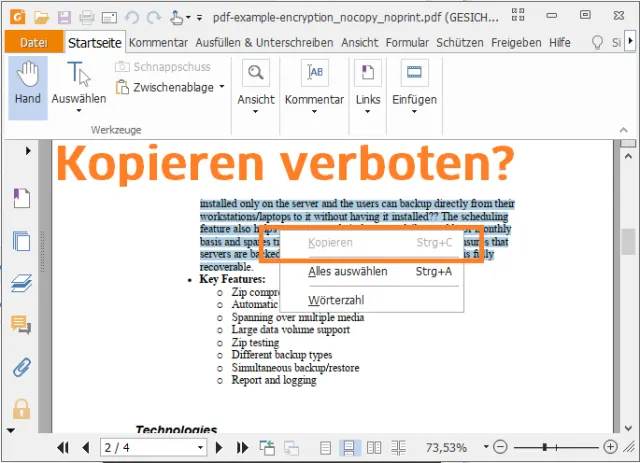
While programs like the Foxit Reader and Microsoft Word respect these digital restrictions by graying out print commands and blocking file imports, a simple cloud-based workaround defeats the block, PCtipp reported.
Users only need a Google account to access the method. By dragging the restricted PDF into an active Google Drive folder and selecting the Google Docs open option, the platform converts the file into an editable format.
That conversion process relies on optical character recognition, treating the secured PDF much like a static image. Gaby Salvisberg said that once the file opens in a new tab as a Google Doc, users can freely highlight, copy, and print both text and graphics.

The workaround leaves a newly created Google Docs file sitting right beside the original PDF inside the cloud storage folder. While the layout may shift slightly during conversion, the resulting text loses all of its previous copying and printing restrictions.
Restrictions vary across different PDF creation software, meaning the workaround may not succeed against every proprietary security measure on the market. Google could also alter how Drive handles these files in future updates, though current tests show the conversion functions smoothly.
Disclaimer: The views and cultural analyses presented in this article are for informational and entertainment purposes only. Information regarding legal disputes or financial data is based on available public records.