
Elden Ring Nightreign: A Lone Tarnished’s Guide too Solo Play
While Elden Ring Nightreign defaults to pairing players with two randomly selected companions,venturing into the Lands Between alone is a readily accessible option. whether you prefer the solitary challenge or simply wish to avoid multiplayer interactions, playing solo or offline is straightforward.
Embarking on a Solo Expedition
The Roundtable Hold serves as a sanctuary where all players exist in isolation, regardless of their online status. However,when initiating an expedition,adjustments are necessary to ensure a solo experience.
- From the Roundtable Hold hub, interact with the table to access the expedition interface.
- Select your desired expedition.
- Navigate to the “Matchmaking Setting” tab, located at the top of the list.This section allows you to set passwords for inviting friends or prioritize matchmaking within specific communities.
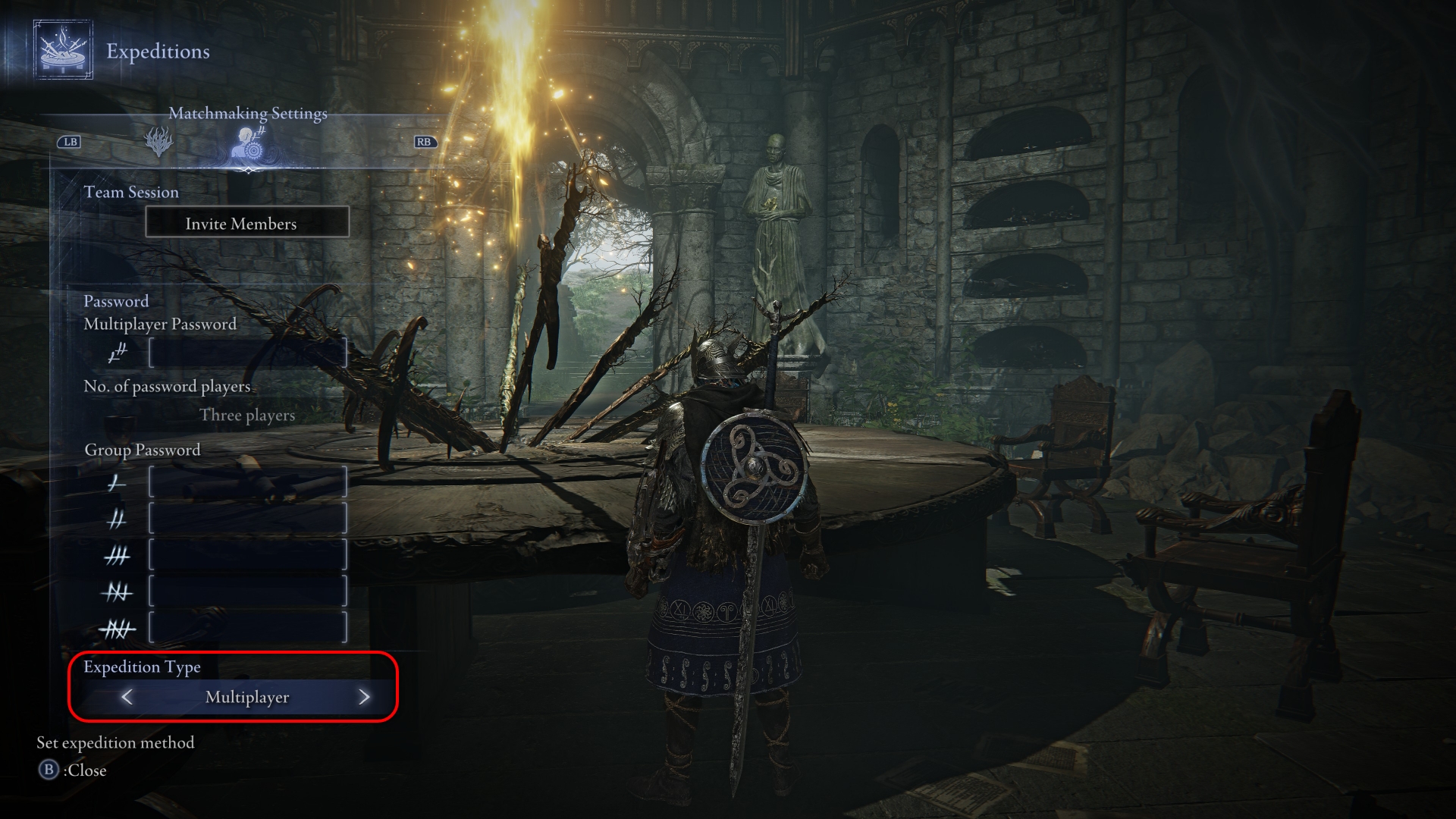
- At the bottom of the interface, locate the “Expedition Type” option.
- Use the arrow keys to switch from “Multiplayer” to “Single player.”

The game remembers this setting, ensuring future expeditions launch in single-player mode until altered. If you accidentally initiate a multiplayer expedition, you can cancel it via the “Cancel Expedition” option within the same interface, before matchmaking completes.
Venturing Offline
For a completely isolated experience, Elden Ring Nightreign offers an offline mode.
- Open the game’s main menu using the options button.
- Navigate to the “System settings” tab.
- Select the “Network” option, represented by a globe icon.
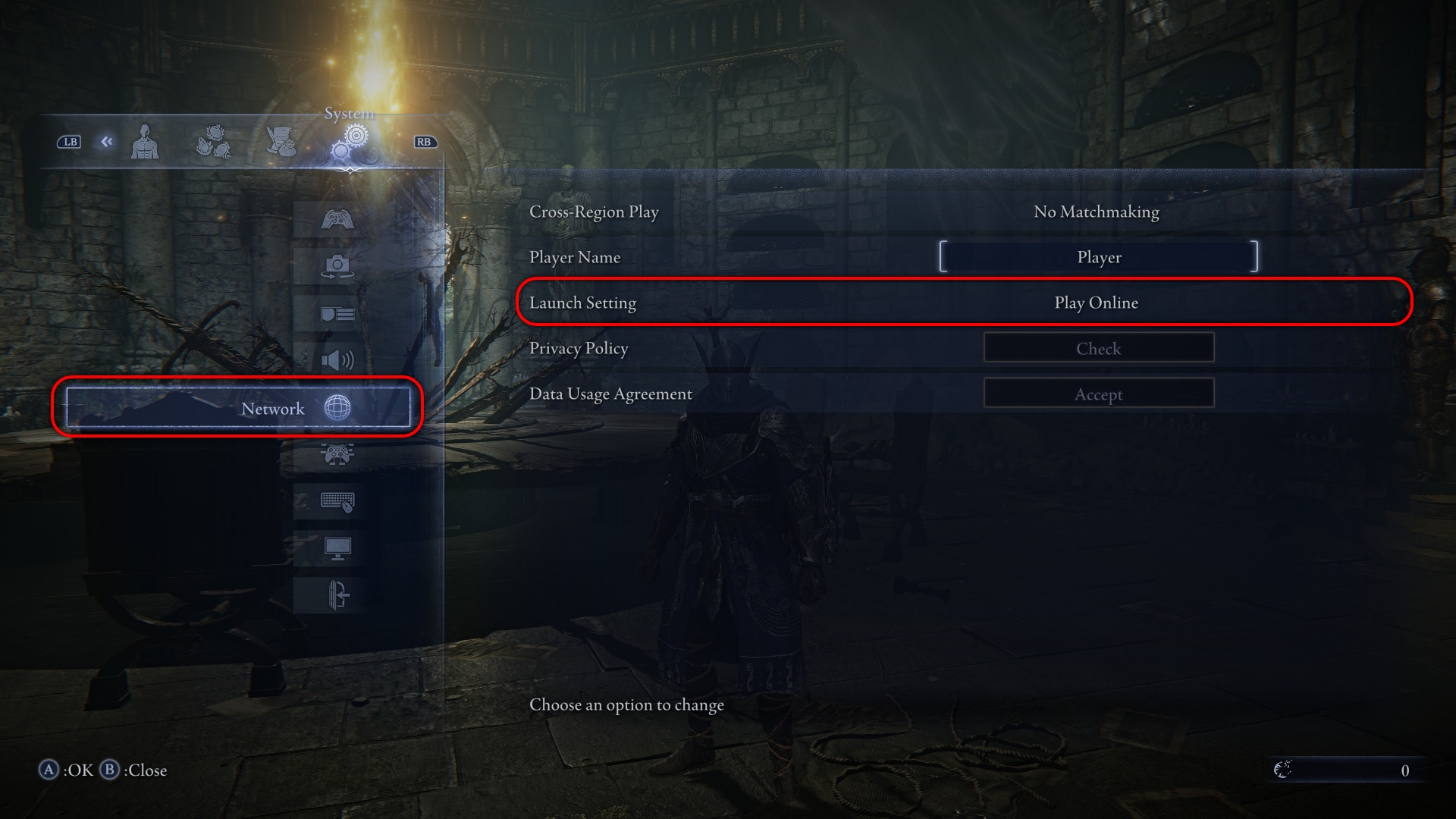
- Change the third option from the top to “Play offline.”
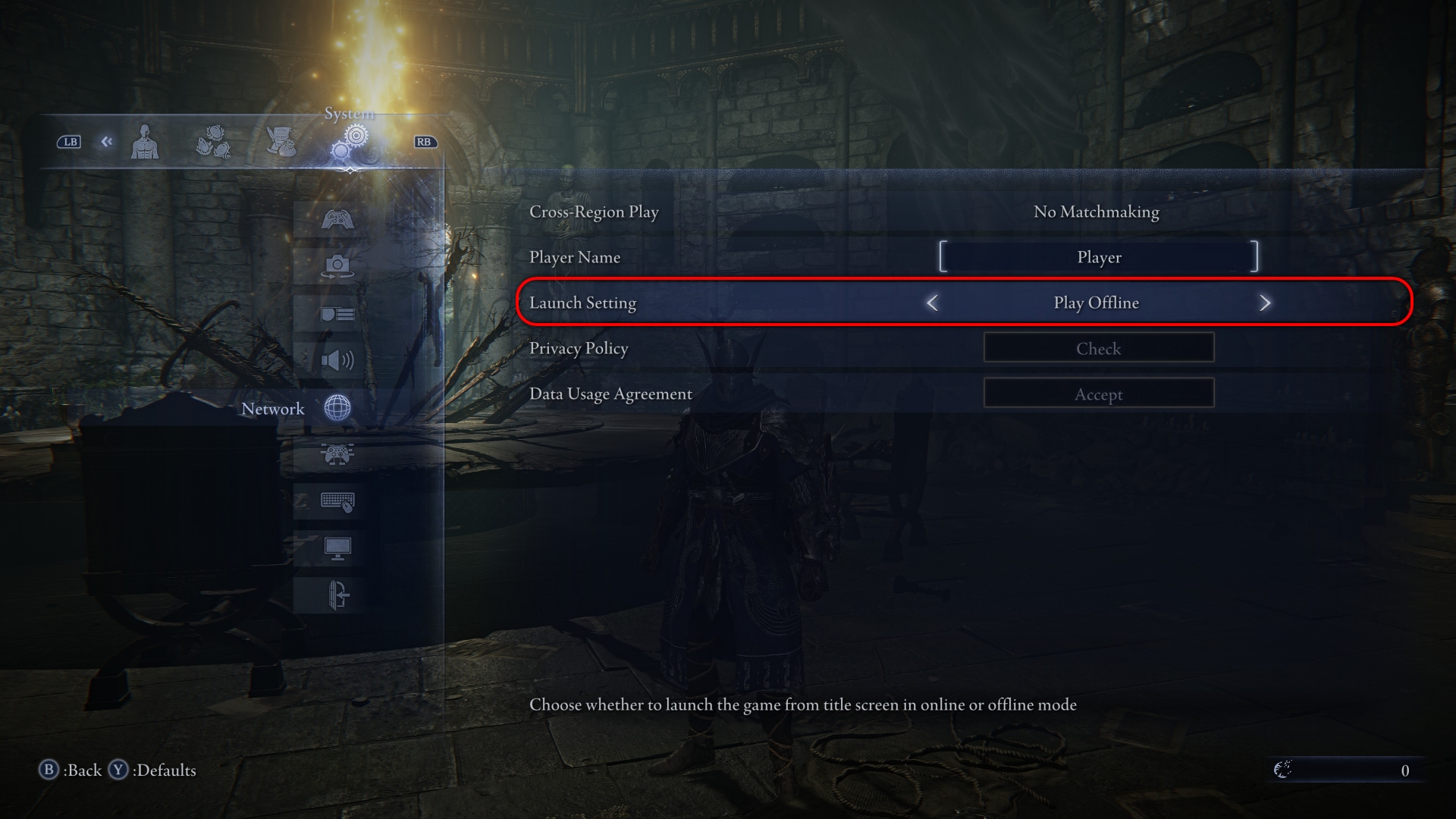
Even in offline mode, expedition settings must be adjusted separately. The game will alert you if you attempt a multiplayer expedition while offline, preventing unintended online interactions.
Frequently Asked Questions
Elden Ring Nightreign is scheduled to launch may 30, 2025, for PC, PlayStation 4, PlayStation 5, Xbox Series X|S, and Xbox One.
