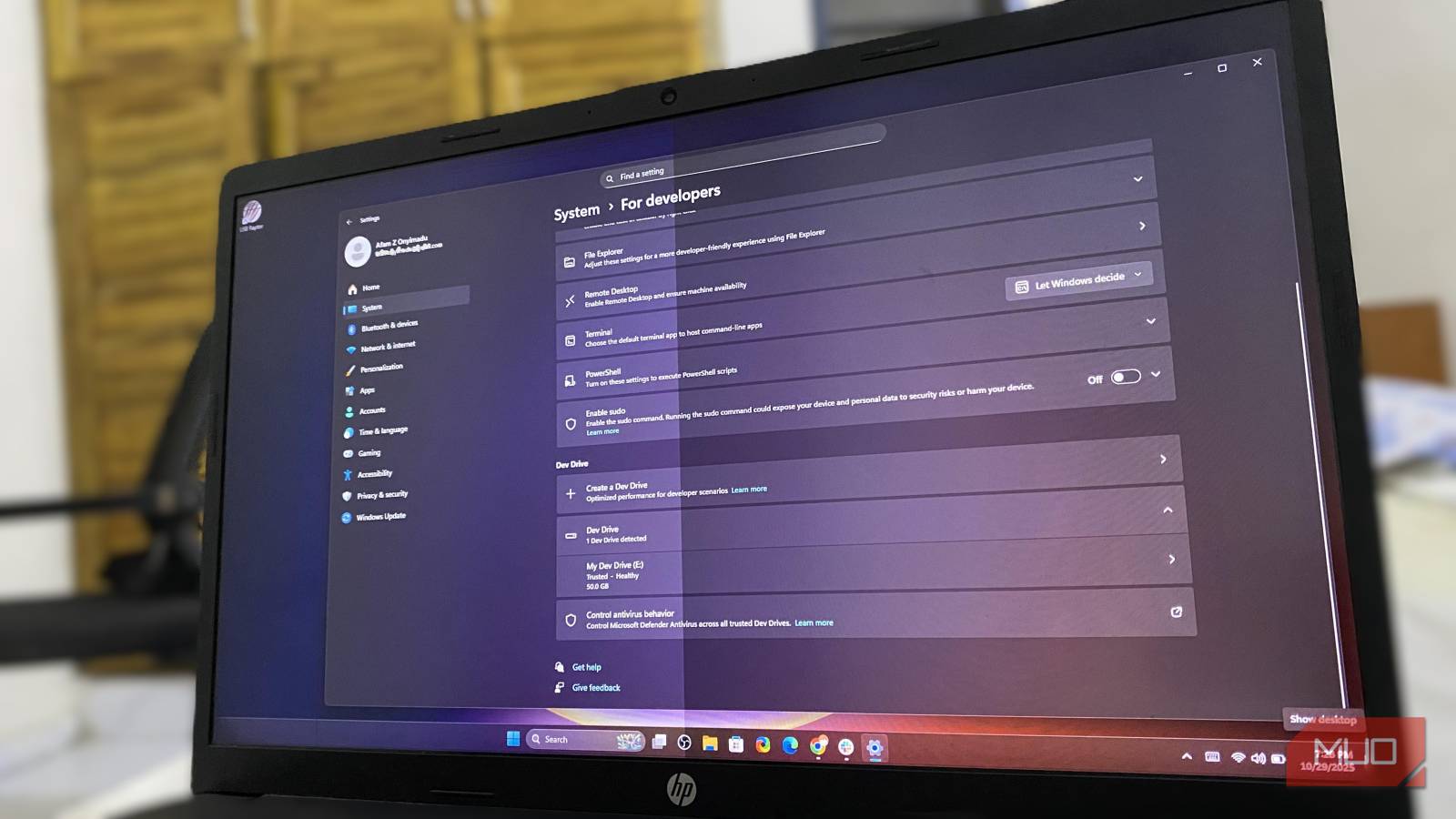
Boost Folder Speed With Windows 11 Dev Drive
Windows 11 Dev Drive Performance Analysis: Why Developers Are Missing Out on ReFS Acceleration
As operating system production pushes evolve through July 2026, Microsoft’s specialized file system storage feature—Dev Drive—continues to suffer from remarkably low enterprise and individual developer adoption rates, despite verified benchmarks showing significant I/O throughput gains for heavy workloads like Node.js compilation and local containerization.
The Tech TL;DR:
- The Performance Core: Dev Drive utilizes the resilient file system (ReFS) architecture alongside block cloning, cutting heavy file operation latency and build times drastically compared to traditional NTFS volumes.
- The Adoption Bottleneck: According to workflow analysis from technology publication MakeUseOf, an overwhelming majority of developers fail to enable or configure the feature, leaving built-in developer optimizations idle.
- Enterprise Risk: Ignoring native disk isolation and asynchronous I/O tuning leaves local build environments vulnerable to unnecessary disk thrashing, demanding attention from engineering operations teams and system administrators.
Under-the-Hood Architecture: How ReFS and Block Cloning Accelerate Workspaces
To understand why Dev Drive accelerates local repositories, developers must look past standard NTFS file allocation tables. Per technical documentation published by Microsoft, Dev Drive is purpose-built on the Resilient File System (ReFS), introducing key architectural features like block cloning. Instead of physically duplicating data blocks on the disk when running package installations like npm install or cargo build, ReFS creates instant metadata-level pointers.
In comparative read/write benchmarks, this mechanism drastically lowers disk latency during continuous integration tasks. When running deep dependency trees, the reduction in IOPS (Input/Output Operations Per Second) prevents the thermal and memory bottlenecks typically seen on standard developer laptops.
# Create a 50GB virtual hard disk (VHDX) formatted as ReFS for a Dev Drive
New-VHD -Path "C:DevDrive.vhdx" -SizeBytes 50GB -Fixed
$disk = Mount-VHD -Path "C:DevDrive.vhdx" -PassThru
Initialize-Disk -Number $disk.Number -PartitionStyle GPT
New-Partition -Disknumber $disk.Number -UseMaximumSize -DriveLetter D
Format-Volume -DriveLetter D -FileSystem ReFS -NewFileSystemLabel "DevDrive"
However, configuring these volumes requires careful planning around disk capacity and filter driver exclusions. Engineering teams aiming to audit their local development infrastructure often partner with specialized software development agencies to properly provision virtualized developer environments without impacting SOC 2 compliance or endpoint security baselines.
Security Isolation and Antivirus Interoperability in Enterprise Environments
Beyond raw speed, Dev Drive introduces a specialized security model designed to mitigate the overhead of real-time security scanning. According to Microsoft’s developer portal guidance, Dev Drive allows administrators to configure asynchronous antivirus filtering, shifting away from aggressive file-locking behaviors that traditionally throttle compilation speeds.
According to MakeUseOf reporting, the hesitation to adopt Dev Drive often stems from unfamiliarity with creating VHDX-backed storage containers or managing ReFS disk sizing constraints. When enterprise developer machines experience severe build bottlenecks or file-locking conflicts, corporate IT departments frequently engage expert managed service providers to automate environment provisioning and enforce secure, high-performance workstation policies.
By decoupling untrusted source code directories from primary system volumes and tuning trusted filter drivers, organizations can reclaim significant developer productivity hours without compromising zero-trust endpoint architectures.
Frequently Asked Questions
What is a Dev Drive in Windows 11?
A Dev Drive is a specialized storage volume built on the Resilient File System (ReFS) designed specifically for developers. It provides performance enhancements such as block cloning, asynchronous antivirus scanning, and superior I/O throughput for heavy build workloads.
Does Dev Drive require a physical partition?
No. While Dev Drive can be created on a dedicated physical partition or unallocated disk space, it can also be easily provisioned using a dynamically expanding or fixed VHDX file, making it simple to deploy on existing Windows 11 hardware.
Disclaimer: The technical analyses and security protocols detailed in this article are for informational purposes only. Always consult with certified IT and cybersecurity professionals before altering enterprise networks or handling sensitive data.