
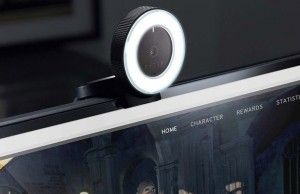
Best Webcams for Home Office and Streaming: Top Reviews and Buying Guide
The Peripheral Endpoint Crisis: Why Your OEM Webcam is a Security and Latency Liability
Let’s be brutally honest: the stock webcam integrated into your $2,000 laptop is an engineering afterthought. It is a bottleneck in your communication stack, introducing unacceptable latency and sacrificing image fidelity due to thermal throttling and undersized sensors. In the remote-first architecture of 2025, your webcam isn’t just a camera; it is a critical I/O endpoint. When you rely on grainy, dimly lit stock optics, you aren’t just looking unprofessional; you are introducing visual noise that degrades the signal-to-noise ratio of your digital presence. We need to stop treating webcams as consumer toys and start evaluating them as peripheral hardware with specific throughput, sensor, and privacy requirements.
The Tech TL;DR:
- Sensor Physics Win: Larger sensors (1/2-inch vs. 1/3-inch) drastically improve low-light SNR (Signal-to-Noise Ratio), reducing the need for aggressive digital gain that introduces grain.
- Bandwidth Bottlenecks: 4K at 30fps requires sustained USB 3.0 throughput; legacy USB 2.0 ports will force compression artifacts or frame drops.
- Privacy Hardware > Software: Physical shutters are non-negotiable for enterprise compliance; software toggles are vulnerable to rootkit exploitation.
The market is flooded with “AI-enhanced” marketing fluff, but from an architectural standpoint, we care about the Image Signal Processor (ISP) and the interface bus. The Logitech HD Webcam C920 remains the industry standard not since it is novel, but because its MJPEG compression pipeline is incredibly efficient on CPU cycles. It offloads encoding function, making it ideal for legacy x86 machines or bandwidth-constrained environments where H.264 might choke the bus. However, for modern workflows requiring 4K fidelity, the Insta360 Link 2 introduces a mechanical gimbal. While the AI tracking is impressive, mechanical movement introduces potential points of failure and requires robust USB power delivery that standard hubs often cannot guarantee.
Portability often sacrifices sensor surface area, but the Opal Tadpole manages to pack a 1/2-inch sensor into a clip-on form factor. The catch? Its full feature set is gated behind a macOS-exclusive companion app, a significant friction point for Windows/Linux enterprise environments. This highlights a common procurement issue: hardware compatibility versus software ecosystem lock-in. For organizations scaling remote teams, this fragmentation requires rigorous IT triage. Before deploying hundreds of units, CTOs should engage cybersecurity auditors and penetration testers to vet the driver stacks and companion software for potential privilege escalation vulnerabilities.
Latency Verification and Stream Integrity
Marketing materials claim “low latency,” but in a production environment, we verify. A webcam is only as good as its pipeline to the conferencing software. You can test the raw input lag and compression artifacts using ffmpeg to bypass the OS’s default abstraction layer. This command captures a 10-second sample from the device, allowing us to inspect the frame consistency and codec overhead without the bloat of Zoom or Teams.
ffmpeg -f v4l2 -input_format mjpeg -video_size 1920x1080 -framerate 30 -i /dev/video0 -t 10 -c copy output_test.mkvRunning this on a Linux-based workstation reveals the raw throughput capabilities. If you see dropped frames or significant macro-blocking in the output, the device’s internal buffer is insufficient for your USB controller’s interrupt rate. What we have is where the Anker PowerConf C200 shines as a midrange option; its 2K resolution at 60fps offers a high refresh rate that smooths motion without the massive bandwidth penalty of 4K, provided your network uplink can handle the bitrate.
The Enterprise Privacy Mandate
In an era of zero-trust architecture, physical security controls are paramount. The Logitech MX Brio 4K includes a physical privacy shutter, a critical feature for SOC 2 compliance. Software-based “mute” functions are insufficient; they can be bypassed by malware with kernel-level access. As noted by security researchers, “Peripheral devices are often the weakest link in the endpoint security chain, acting as unmonitored entry points for data exfiltration.” For high-security environments, relying on consumer-grade webcams without hardware kill-switches is a compliance risk that requires immediate remediation by risk assessment and management services.
the “AI Tracking” features found in the Insta360 and Logitech Brio raise data sovereignty questions. Is the face tracking processed on-device (edge computing) or in the cloud? Most premium webcams process locally to reduce latency, but the firmware update mechanism remains a vector for supply chain attacks. Organizations must verify that these devices do not phone home telemetry data that could violate GDPR or HIPAA regulations.
Hardware Specification Matrix
To assist in procurement decisions, we have broken down the key architectural specs. Note the interface requirements; pushing 4K over USB 2.0 is technically impossible without heavy compression, which degrades image quality.
| Model | Max Resolution | Interface | Privacy Control | AI Processing |
|---|---|---|---|---|
| Logitech C920 | 1080p (30fps) | USB 2.0 | None (Software) | None |
| Insta360 Link 2 | 4K (30fps) | USB-C 3.0 | Software / Lens Cap | On-Device Gimbal |
| Opal Tadpole | 4K (30fps) | USB-C | Software | On-Device (Neural) |
| Anker C200 | 2K (60fps) | USB-A 3.0 | Physical Shutter | Basic Auto-Focus |
| Logitech MX Brio | 4K (30fps) | USB-C 3.0 | Physical Shutter | Windows Hello / Face |
Final Deployment Recommendation
For the majority of enterprise deployments, the Anker PowerConf C200 offers the best balance of security (physical shutter), performance (2K60), and cost. It avoids the driver bloat of the Logitech ecosystem while providing superior low-light performance thanks to its larger aperture. However, for content creators or executives requiring 4K fidelity, the Insta360 Link 2 is the superior choice, provided the mechanical gimbal is accepted as a potential maintenance liability. As we move toward hybrid work models, the webcam is no longer an accessory; it is a primary interface. Treat it with the same scrutiny you would apply to your network firewall.
Disclaimer: The technical analyses and security protocols detailed in this article are for informational purposes only. Always consult with certified IT and cybersecurity professionals before altering enterprise networks or handling sensitive data.