
Microsoft Introduces Automatic AI Model Selection for GitHub Copilot in Visual Studio Code
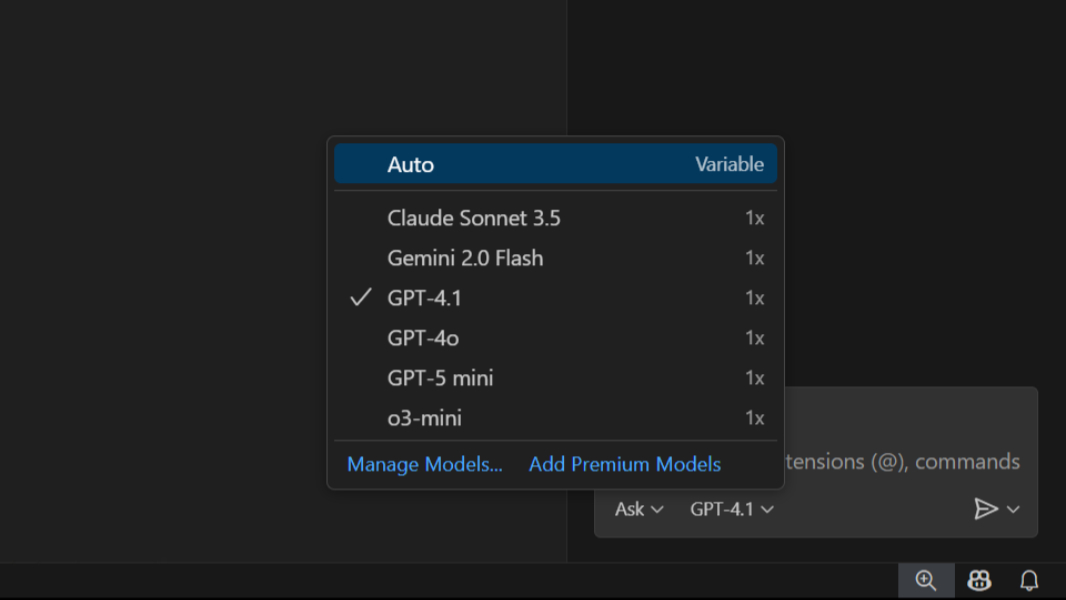
Microsoft is rolling out a new feature, “Auto model selection,” to GitHub Copilot within Visual Studio Code, designed to optimize performance and manage demand for its AI-powered coding assistant.Currently in preview, the feature automatically chooses the most appropriate AI model for each request, removing the need for users to manually select a model.
According to Microsoft,Auto model selection prioritizes both user experience and system capacity. It currently cycles through models like claude Sonnet 4,GPT-5,and GPT-5 mini,aiming to deliver the best possible response while preventing users from exceeding their monthly request limits. The model is selected once per chat session,with plans for more frequent dynamic adjustments in future updates.
Initially, Auto model selection is available to all GitHub copilot individual plan subscribers. Paid users benefit from a 10% discount on each premium request when using Auto mode. If a user reaches their premium request limit, the system will automatically switch to free models.
While the current implementation focuses on capacity management – akin to how navigation apps reroute traffic to alleviate congestion – Microsoft intends to evolve Auto model selection to prioritize task-specific optimization. Future improvements will include dynamically switching between local and cloud-based models based on the coding task, expanding the range of supported models, and granting free users access to the latest AI models.
microsoft also plans to enhance the model selection dropdown menu, providing greater clarity regarding model usage and the impact of each model on GitHub Copilot subscription plans.
The rollout of Auto model selection is underway and will be available to all GitHub Copilot users in Visual Studio Code in the coming weeks. Further details can be found on the Visual Studio Code website: https://code.visualstudio.com/docs/copilot/customization/language-models.
