
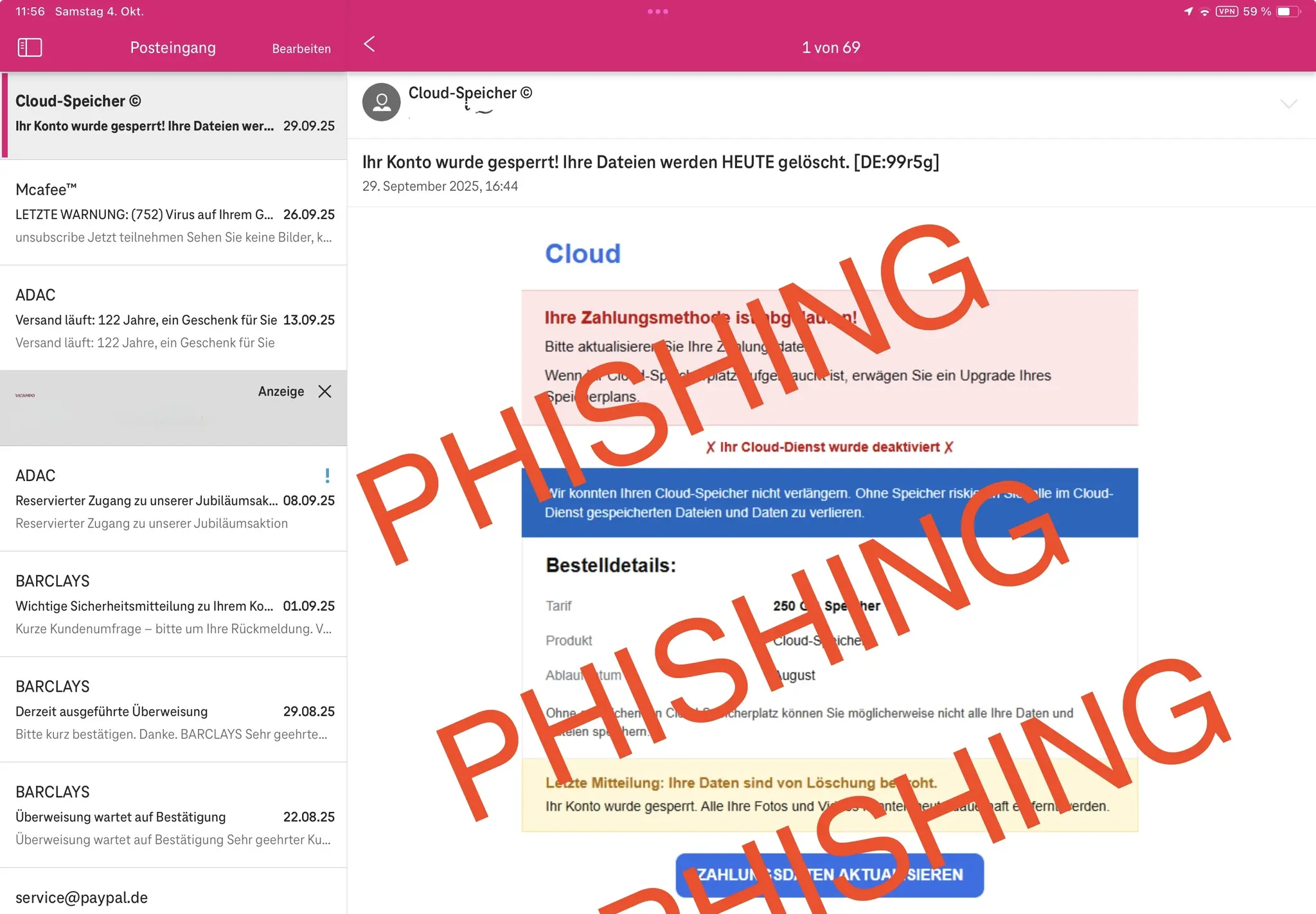
Column: The smartphone guide: Part 26: Protection against Phishing
A surge in refined phishing attacks is targeting users, prompting security experts to urge heightened vigilance and proactive measures to safeguard personal data. The threat extends beyond email, increasingly appearing as unsolicited messages accompanying legitimate parcel service notifications – a tactic that can easily lull recipients into a false sense of security.
The core principle of phishing defense is simple: skepticism. Any unsolicited message, even one seemingly linked to a recent purchase, should promptly raise red flags. “As soon as a message appears without being asked, your first doubts have to arise,” emphasizes Andreas, a cybersecurity volunteer with the Domnetz group in Wesel.
Here are golden rules to protect yourself:
- Do not open emails from unexpected senders.
- set your Email-Format to “Only-text” if possible.
- Never respond to unsolicited news.
- Click on no graphics, links, or attachments in the message.
- If uncertain, contact your provider directly – do not use contact facts from the suspicious message.
Beyond reactive measures, a fundamental shift in online behavior is crucial. One recent case highlighted the difficulty of managing compromised accounts across numerous services. The solution? diversification. creating multiple email addresses – even a dedicated address for each online account - limits the damage from a potential breach. “Safe behavior is everything,” andreas states. “If it should be especially safe, a special email address for each user account.”
Compromised accounts require immediate action: change passwords or, ideally, replace the compromised email address associated with the account.
The effectiveness of these strategies is demonstrable. Andreas reports a meaningful reduction in phishing attempts reaching his personal inboxes after implementing these methods, using older, less protected accounts to monitor current phishing trends for training purposes.
Stay informed:
* Verbraucherzentrale Phishing Radar (Consumer Center): https://www.verbraucherzentrale.de/wissen/digitale-welt/phishingradar/phishingradar-aktuelle-warnungen-6059
* BSI Phishing Checklist (Federal Office for Information Security): https://www.bsi.bund.de/DE/Themen/Verbraucherinnen-und-Verbraucher/Informationen-und-Empfehlungen/Cyber-Sicherheitsempfehlungen/cyber-sicherheitsempfehlungen_node.html
For in-person assistance, the Domnetz group in Wesel offers support:
* Tuesdays: 10 a.m. – 12 p.m., basement of the house on Willibrodiplatz 10.
* Wednesdays: 3 p.m. – 4 p.m., individual consultations. No appointment necesary.
“Wipe good,” - Andreas.
