
gemini’s Latest Trend: transforming Photos into Adorable Keychains
Published: october 26, 2023 | By Rachel Kim
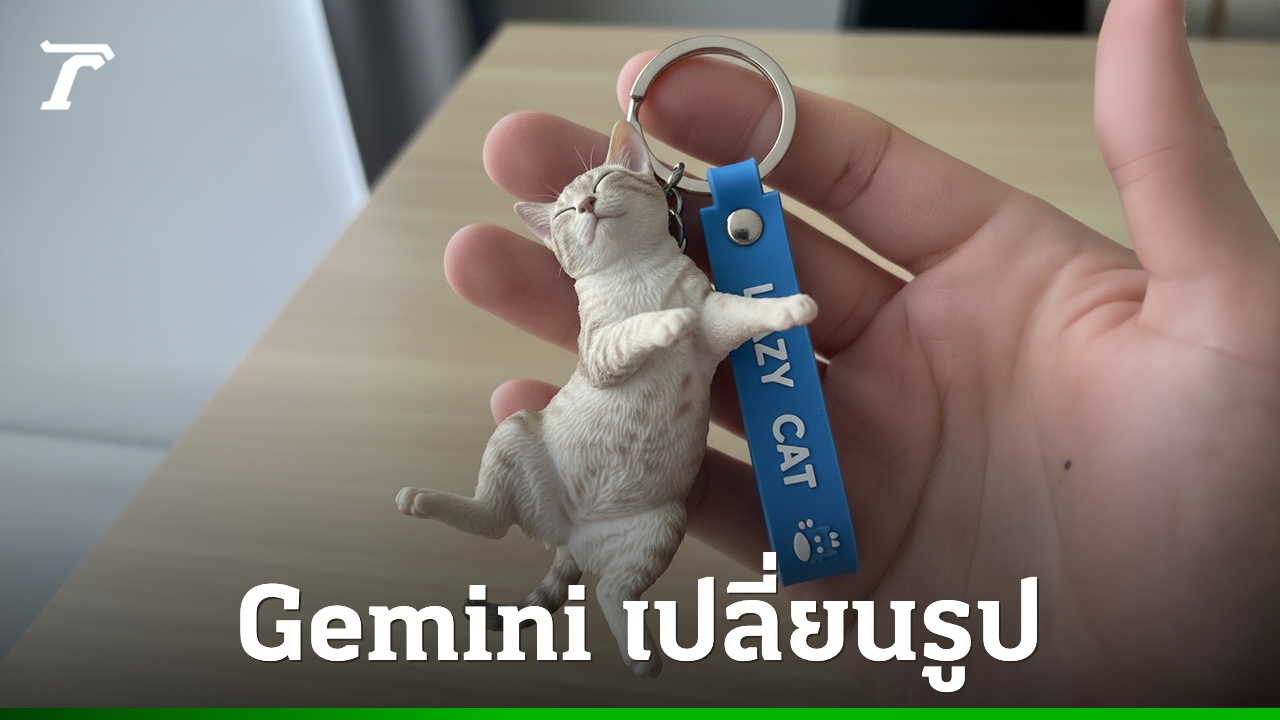
The popularity of creating images with Google Gemini continues to surge.Recently, the focus has shifted from generating figures to crafting incredibly realistic keychain designs. Inspired by seeing these creations, we decided to explore how anyone can turn their favorite photos into personalized keychains.
Creating a Keychain from Your Photo with Gemini: A Step-by-step Guide
- Access Gemini: Begin by opening the Google Gemini mobile application or visiting the Google Gemini website on your computer.
- Select Your image: Choose a clear, full-body photograph of yourself or your beloved pet. The higher the quality of the image, the better the result.
- Enter the Prompt: This is where the magic happens. Use the following prompt to guide Gemini’s image generation:
Use the nano-banana model to create a commercialized figure of the character in the illustration, in a realistic style of a keychain designed from a photo of a person. Perfect Full body. The keychain should feature a miniature figure wearing the same outfit and style as the person in the photo. The figure should be detailed, proportional, and look like a collectible toy. Attach the figure to a metal keyring with a custom blue strap beside it. The strap should have a smooth silicone look with embossed text and small decorative icons, similar to real keychain accessories. A human hand should be shown holding the keyring, but only partially visible. Make sure the lighting and depth of field are realistic, with a soft blurred background to simulate a real product photo taken indoors near the window.
- Upload and Generate: Upload your chosen image and allow Gemini to process the request. The generation typically takes less than one minute.
The result? A remarkably realistic image of a keychain featuring a miniature version of the person or pet in your original photo.
Did you try creating your own keychain? We’d love to hear about your experience! Share your creations in the comments below, or let us know what other AI-powered transformations you’d like to see. And if you found this article helpful, please consider subscribing to World Today News for more insightful tech updates and tutorials.
