
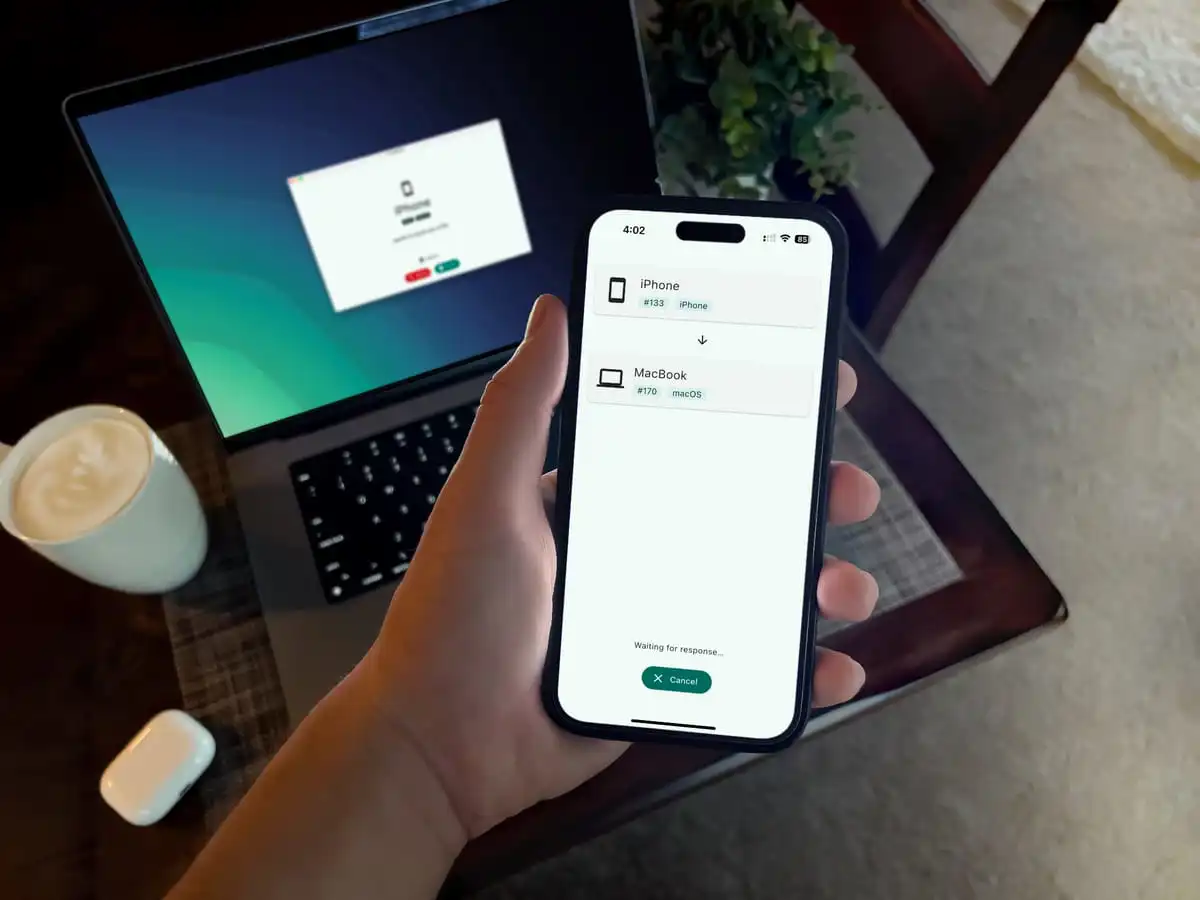
LocalSend: A New Era of Fast, Secure File Transfer Across Devices
As the number of personal devices grows, seamlessly transferring files between smartphones, computers, and other systems has become increasingly critical. A new request, LocalSend, is emerging as a streamlined solution, offering users a simple and secure method for data exchange.
the Challenge of Cross-Platform File Sharing
The modern digital landscape is characterized by a diverse ecosystem of operating systems-Windows, macOS, Linux, and Android-often creating friction when users attempt to share files. Conventional methods, such as email attachments or cloud storage, can be cumbersome, slow, and raise privacy concerns. According to a 2023 study by Statista, over 85% of adults in the United States own a smartphone, highlighting the widespread need for efficient mobile-to-computer file transfer [Statista].
Introducing LocalSend: A Local Network Solution
LocalSend addresses this challenge by enabling direct file transfers over a local Wi-Fi network. The application automatically detects other LocalSend instances on the same network, eliminating the need for internet connectivity or complex configurations. This peer-to-peer approach prioritizes speed and user privacy.
Once the application is active on both the sending and receiving devices, users can select files or folders from their computer and transmit them directly to their smartphone. The receiving device displays a notification, prompting the user to accept the transfer.Accepted files are then saved to the device’s designated download folder, with customizable storage locations available within the application settings.
Did You Know? LocalSend operates without relying on external servers, enhancing data security and reducing potential vulnerabilities.
Key Features and Benefits
LocalSend distinguishes itself through several key advantages:
- Ease of Use: The intuitive interface simplifies the file transfer process for users of all technical skill levels.
- Cost-Effectiveness: LocalSend is completely free and open-source, providing a viable choice to paid file transfer services.
- Security: By operating on a local network, LocalSend minimizes exposure to external threats and protects sensitive data.
- Cross-Platform Compatibility: LocalSend supports Android devices, Windows, macOS, and Linux systems, ensuring broad accessibility.
The application’s independence from cloud services also addresses growing concerns about data privacy and control.As noted in a report by the Electronic Frontier Foundation, “users are increasingly aware of the privacy implications of cloud storage and are seeking alternatives that offer greater control over their data” [EFF].
Pro Tip: Customize the download folder location within LocalSend’s settings to organize your received files efficiently.
How LocalSend Works: A Step-by-Step Guide
Using LocalSend is remarkably straightforward:
- Ensure LocalSend is installed and running on both the sending and receiving devices.
- On the sending computer, select the “send” option and choose the desired file(s).
- the receiving device will receive a notification prompting acceptance of the transfer.
- Click “accept” on the receiving device to initiate the download.
- Files are saved to the designated download folder.
Does this sound like a solution you’ve been waiting for? What types of files woudl you transfer most often using an app like LocalSend?
| Feature | Specification |
|---|---|
| Operating System Support | Android, Windows, macOS, Linux |
| Connectivity | Local Wi-Fi Network |
| Cost | Free & Open-Source |
| Security | Local Network Transfer – No Internet Dependency |
The future of Local File Transfer
The demand for secure and efficient local file transfer solutions is expected to grow as device proliferation continues.future developments may include enhanced features such as larger file support, improved network finding, and integration with other productivity tools.The focus on privacy-preserving technologies like LocalSend reflects a broader trend towards user empowerment and data control.
Frequently Asked Questions About LocalSend
- What is LocalSend? LocalSend is a free application that allows for direct file transfers between devices on the same local Wi-Fi network.
- Is LocalSend secure? Yes, LocalSend is designed with security in mind, as it doesn’t rely on external servers or internet connectivity.
- What operating systems does LocalSend support? LocalSend supports Android, Windows, macOS, and Linux.
- Do I need an internet connection to use LocalSend? no, LocalSend operates entirely on your local Wi-Fi network.
- is LocalSend arduous to use? No, LocalSend features a simple and intuitive interface for easy file sharing.
LocalSend presents a compelling solution for anyone seeking a fast,secure,and free way to transfer files between their devices. Its simplicity and commitment to privacy make it a standout option in a crowded market.
We’d love to hear your thoughts! Share this article with your network, leave a comment below, or subscribe to our newsletter for more insightful tech coverage.
