
Samsung Launches Gallery Assistant for batch Editing on Select Devices
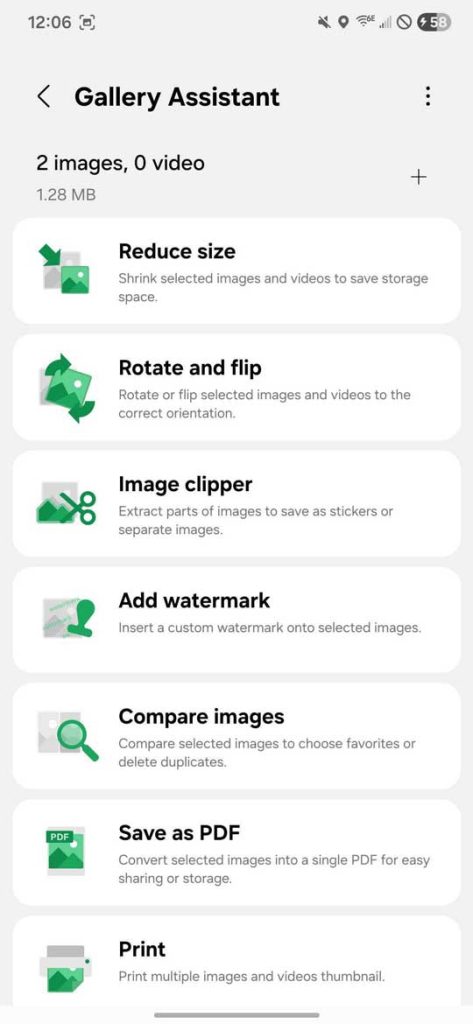
Samsung is rolling out a new Gallery Assistant app, currently in beta, designed to streamline photo and image editing for users needing to manage large quantities of files. Available through the Members app, the tool focuses on essential batch editing functions like file reduction, comparison, and general image manipulation.
The Gallery Assistant arrives as Samsung continues to refine its One UI software experience and explore new avenues for app distribution. While batch editing tools aren’t new, samsung’s approach-integrated within the Gallery app and accessible via a dedicated beta program-signals a focus on simplifying workflows for everyday users. The initial release, limited to South Korea, supports the Galaxy S25 series, galaxy Z Fold 7, and Z Flip 7 running one UI 8.
The app allows users to select up to 500 images and apply edits together. Features include file size reduction – demonstrated to bring some screenshots down to 1.72KB - and a “compare” function supporting up to four images. The Gallery Assistant is currently accessible within the beta section of the Samsung Members app. Samsung appears to be utilizing this section for both software updates and the hosting of new applications.
